 Flows ERP
AI knowledge baseanswers from your own files
Put your company's documents in one place, and staff can ask the AI anything about them.
One-month free trial before you buy.
01
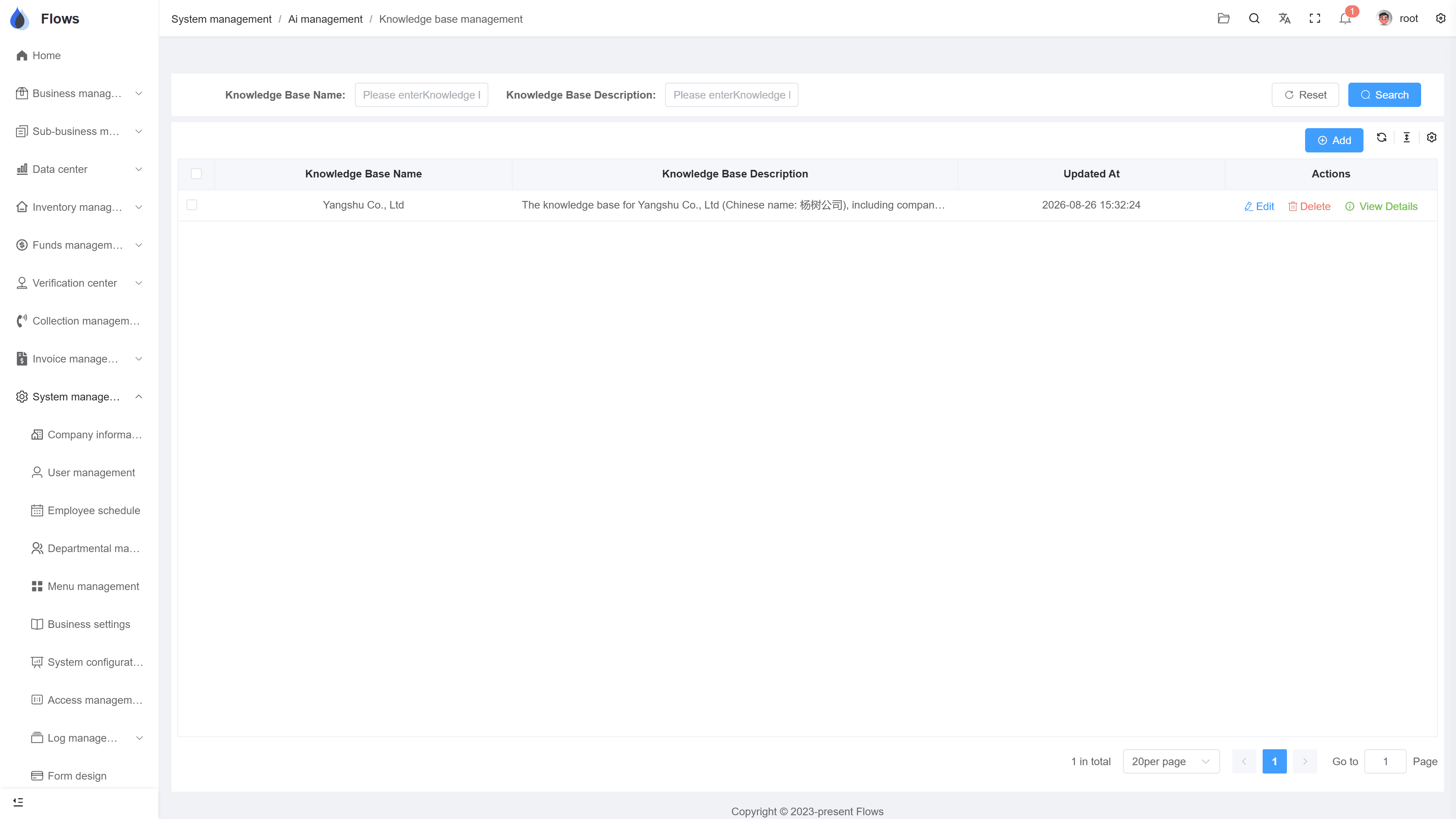
A knowledge base per team, from Word or text
Create a knowledge base for finance, one for sales, one for new staff — as many as you need. You can upload the Word files you already have, or type the content in directly.
- Unlimited knowledge bases
- Upload Word files or type text
- Organized by team or topic
- Knowledge stays when staff leave
Knowledge bases
Finance knowledge base
42 entries
Finance dept onlySales knowledge base
28 entries
Role: sales staffFinance AI assistant — your custom prompt
Answers from your knowledge bases · Finance + Company policy
02
Choose who can see each knowledge base
Each knowledge base is visible only to the people you choose: a department, one or more roles, or specific accounts. For example, the credit policy stays with finance, the sales guide with sales, and the new-staff guide can be open to everyone.
- Visibility per knowledge base
- By department, role, or account
- Sensitive knowledge stays private
- Open to everyone when needed
Customer — Bangkok Trading
@Somchai customer visit set for Thursday
Visible to the sales team only · full edit history
03
An AI assistant for every team
Set up an assistant for each team and tell it how to answer: precise for finance, or simple and practical for new sales staff. Every answer comes from your own documents, so staff get answers that follow your company's rules.
- Set how each assistant answers
- A different assistant for each team
- Answers from your own documents
- One assistant can use several knowledge bases
Platform — system settings
API · data received from an external system
Button-level permissions · every change logged
Inside the module
Real screens from Flows ERP — what your team will actually work in.
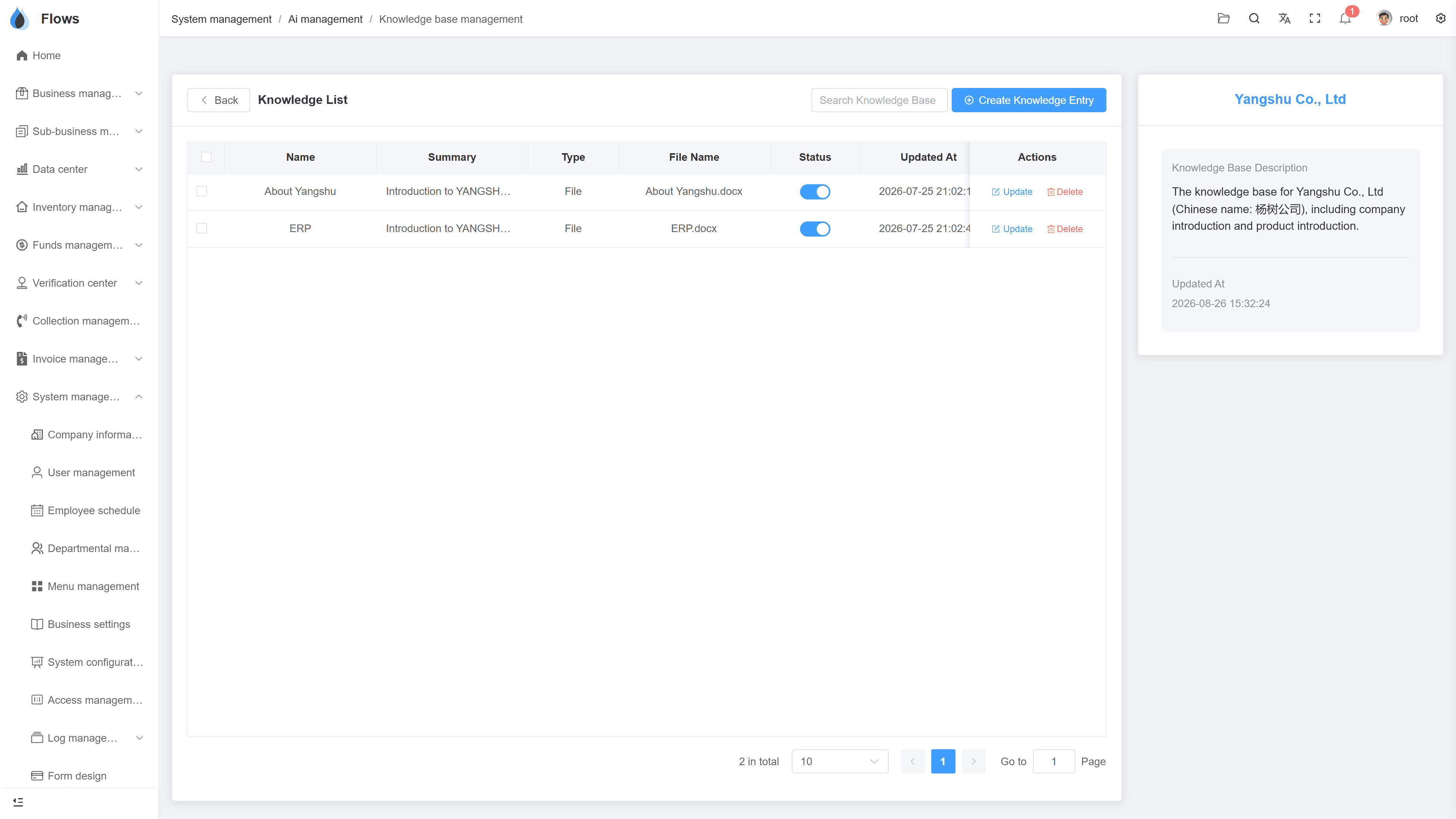
A team's knowledge base
Entries and who can see them — one team's knowledge in one place.
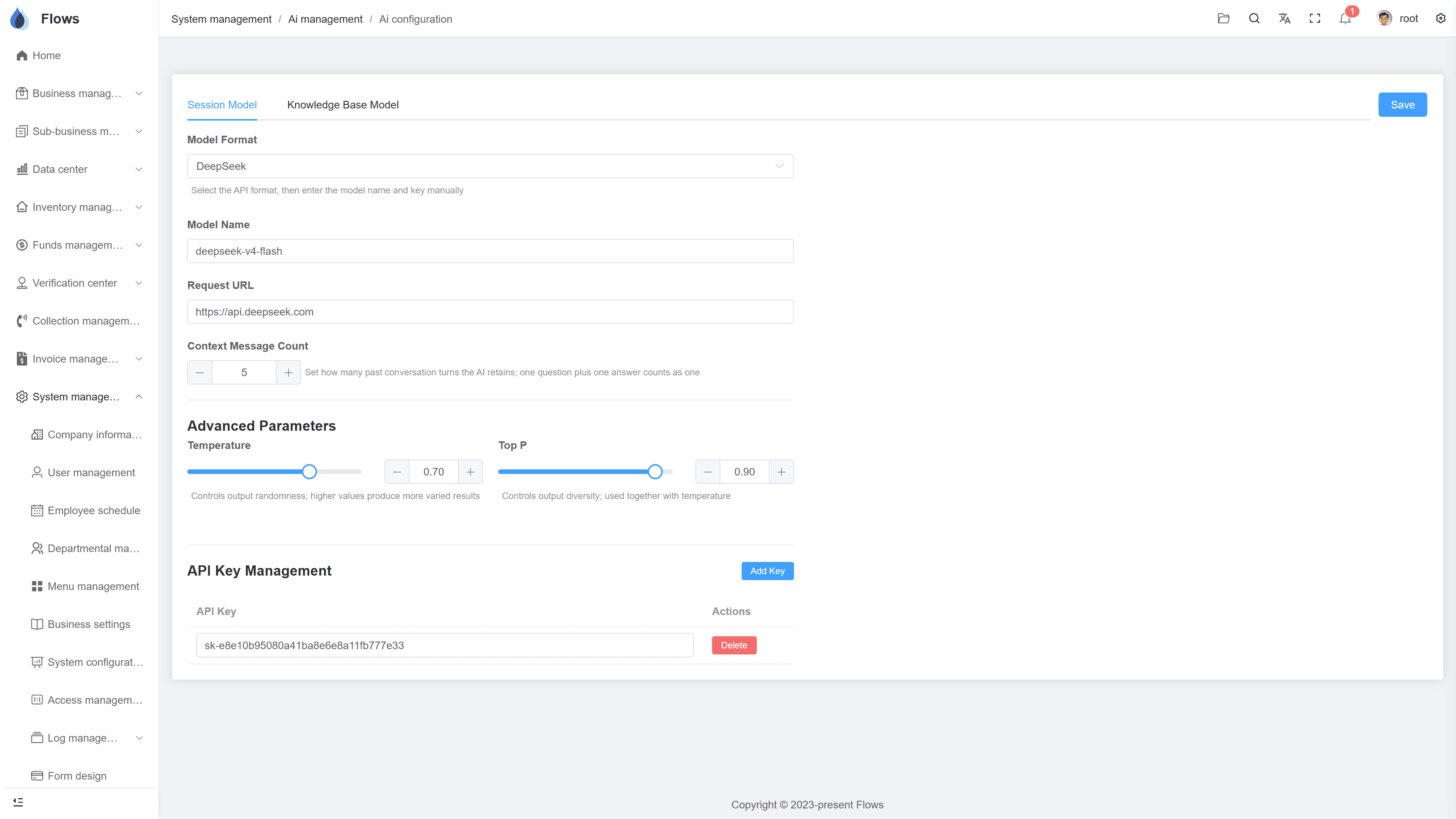
Setting up an assistant
The system prompt that sets the assistant's role and tone — written by you.
Why Flows
What makes Flows different
Not another generic ERP — a system built around how Thai SMEs actually buy, sell, and collect.
See how onboarding works →Priced per company, not per seat
One annual price, every module included. Add users freely within your tier — no feature gates, no seat fees.
Three languages with auto-translation
Thai, English & Chinese UI — and the data your team enters is translated automatically, so everyone reads the same records.
Your documents, exactly your format
Send us your invoice and receipt templates; our team configures them into Flows. Every document comes out looking like yours.
We walk you live — and stay
Five-step onboarding at no extra cost, then quarterly system stability reports. We don't disappear after go-live.
Spec sheet
What the AI knowledge base includes — in every plan.
Knowledge bases
Unlimited — per team or topic
Entries
Word file uploads and text
Visibility
Per knowledge base: department, roles, or specific accounts
Assistants
Custom system prompt
Answers
Based on the knowledge you upload
Chat history
Export chat history
Frequently asked questions
What is knowledge management, and what does the Flows knowledge base do?
Knowledge management means keeping what your company knows in one place instead of in people's heads or scattered across emails and chat messages. In Flows, you create knowledge bases for each team from Word files or text, control who sees each one, and set up AI assistants that answer from them.
How do we control who sees which knowledge base?
Each knowledge base can be limited to a department, to one or more roles, or to specific accounts. For example, product pricing plans can be shared only with the sales team, while the new-staff guide can be open to everyone.
What does a custom system prompt let us do?
A system prompt sets how the assistant behaves, including its tone, what it covers, and what it should decline. You can write different prompts for different roles, such as a precise assistant for finance and a practical one for new sales staff.
Do we have to retype everything to add knowledge?
You don't need to retype anything. Upload your existing Word documents, or paste or type text directly. Most teams start with the documents they already give new staff and add more as questions come in.
Can one company have several knowledge bases?
You can create as many as you need, for example for finance, sales, operations, and new staff. Each has its own entries and visibility, and one AI assistant can answer from several of the knowledge bases at once.
Keep your company's knowledge in one place.
Start a free one-month trial, or book a demo and bring one policy document — we'll set up the first knowledge base together.