 Flows ERP
Invoices & billing notesgenerated in one click
Issue one per installment, or combine several into a billing note — the amounts come straight from the contract.
One-month free trial before you buy.
01
Invoices in one click — nothing to type
You don't need to type the amount, the contract number, or the customer's name. Pick the installment, click once, and Flows fills in the rest and assigns the invoice number.
- Amount filled in from the contract
- Related data linked automatically
- One click to generate
- Automatic numbering
Contract SC-2026-041 · Bangkok Trading
@Somchai please follow up period 3
Logged on the contract · visible to the team
02
Several invoices, one billing note
Combine invoices from several periods into one billing note for the customer. Again, nothing to type — select the invoices, click once, and the totals are calculated for you.
- Combine invoices from several periods
- Totals calculated for you
- Each line links to its invoice
- No manual typing
AR write-off center
03
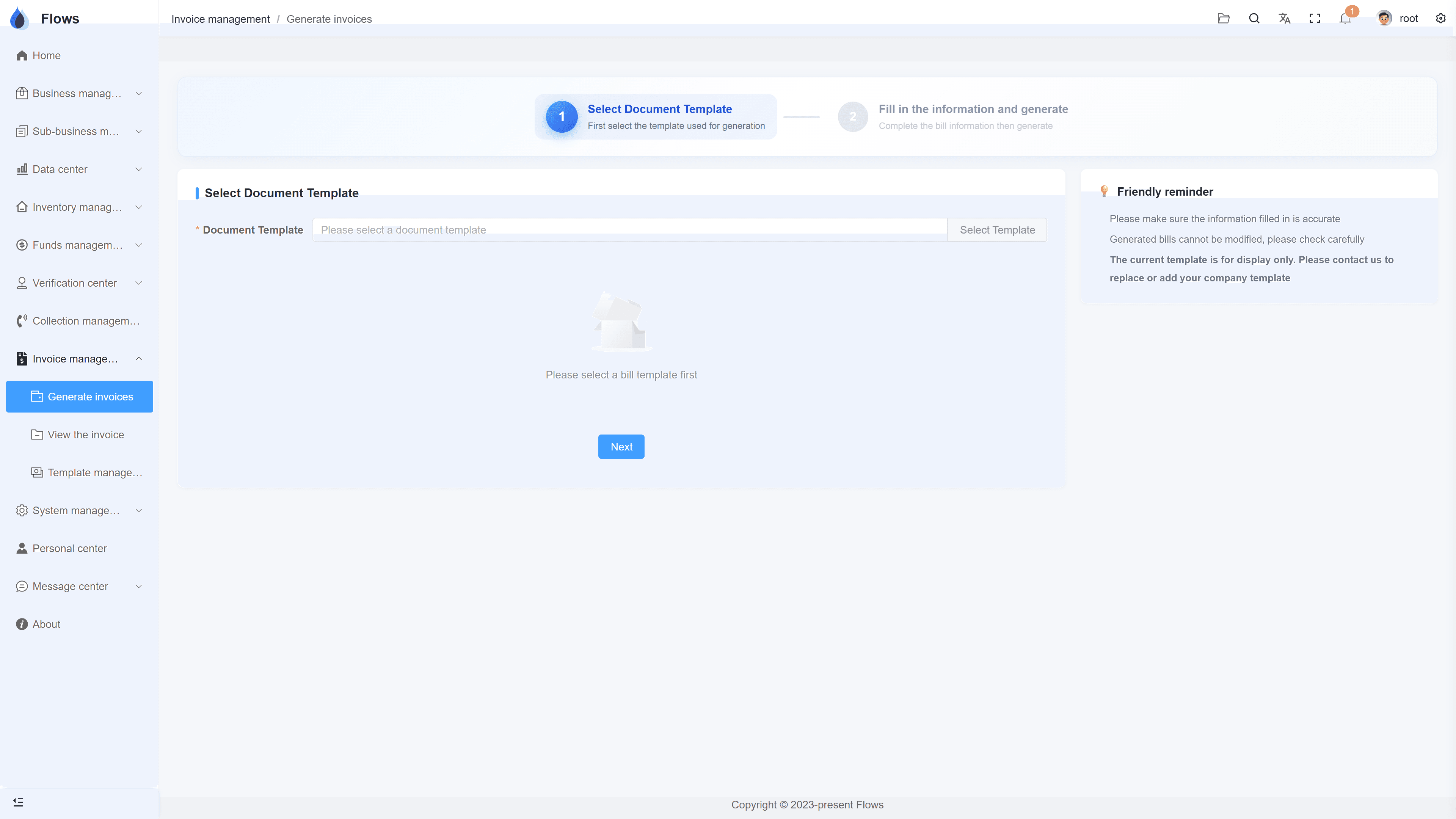
Documents in the language you need
Generate documents in whichever language you need. Send us your templates in other languages, and we'll set them up in the system for you.
- Thai, English, or Chinese output
- More languages on request
- Your company's template
- Bulk download of past documents
Generate documents
Generated from contract SC-2026-041
On your company template · TH/EN/ZH
Inside the module
Real screens from Flows ERP — what your team will actually work in.
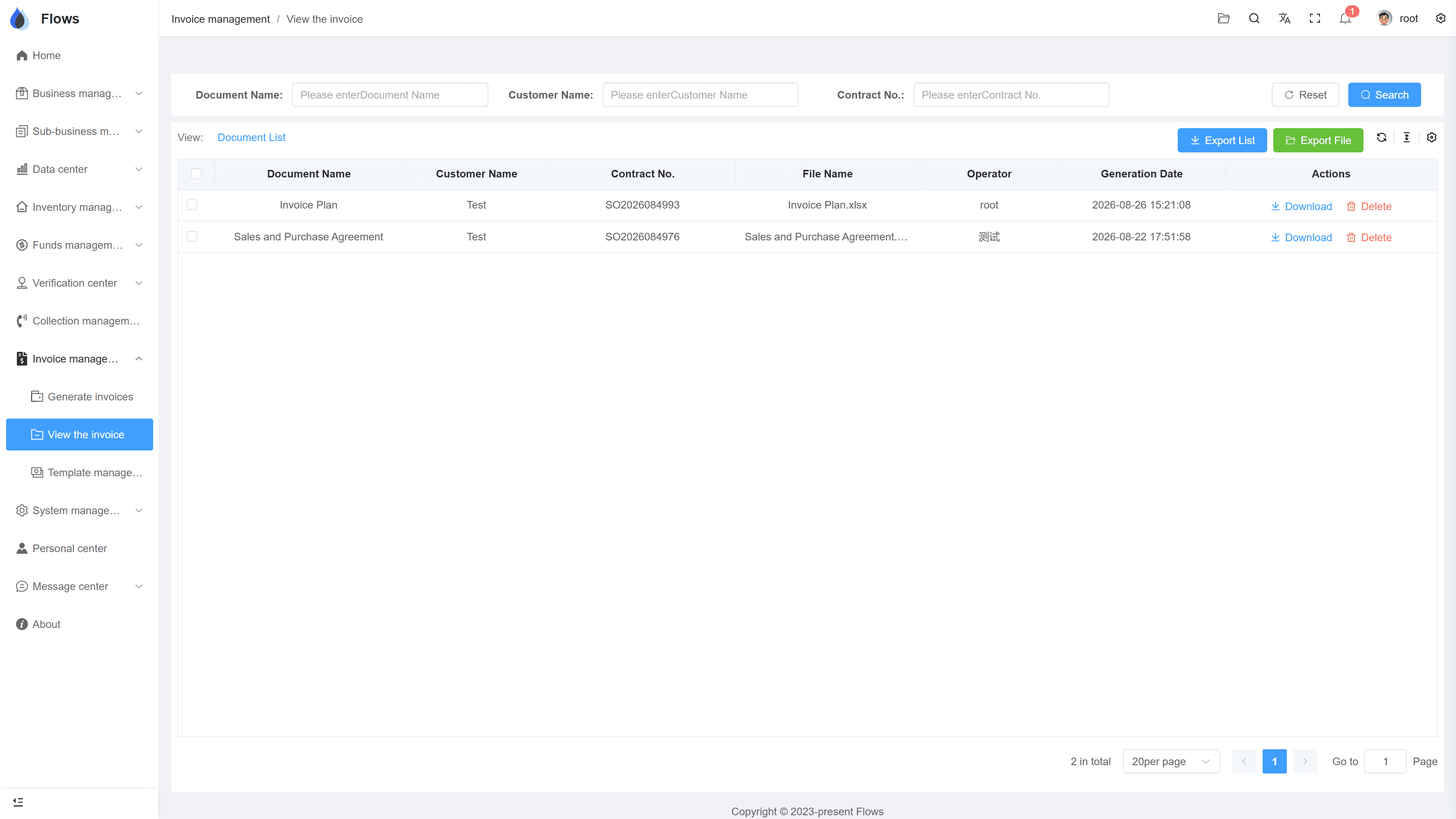
Full invoice history
See who issued each invoice and when. Every record is kept.
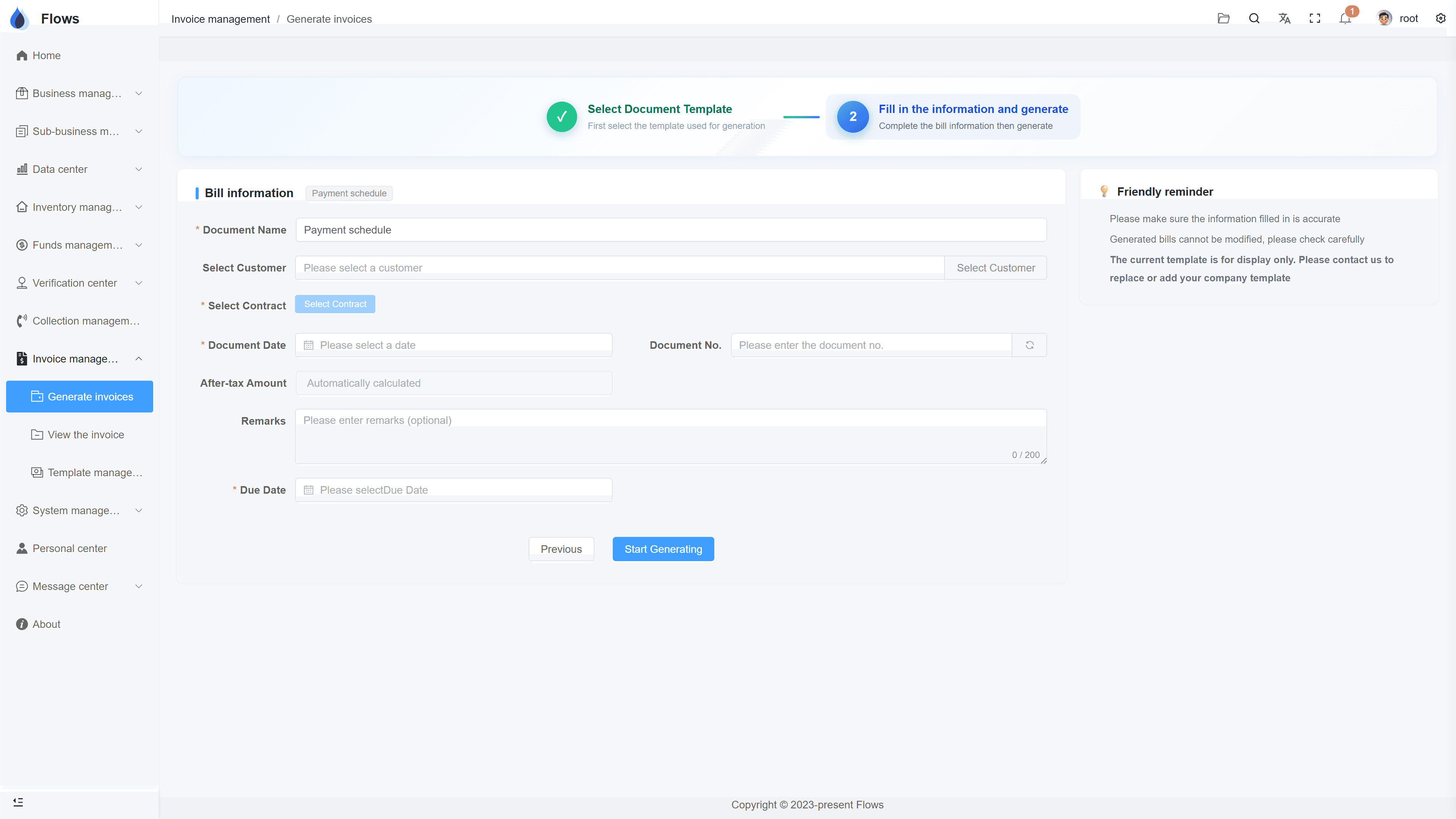
Creating a billing note
Pick the customer's open invoices, and Flows builds the billing note on your template with the totals calculated.
Why Flows
What makes Flows different
Not another generic ERP — a system built around how Thai SMEs actually buy, sell, and collect.
See how onboarding works →Priced per company, not per seat
One annual price, every module included. Add users freely within your tier — no feature gates, no seat fees.
Three languages with auto-translation
Thai, English & Chinese UI — and the data your team enters is translated automatically, so everyone reads the same records.
Your documents, exactly your format
Send us your invoice and receipt templates; our team configures them into Flows. Every document comes out looking like yours.
We walk you live — and stay
Five-step onboarding at no extra cost, then quarterly system stability reports. We don't disappear after go-live.
Spec sheet
What the invoices & billing module includes — in every plan.
One-click generation
Contracts, invoices, quotations, delivery notes, and other documents
Auto-fill
Information filled in automatically from the related contract or customer
Numbering
Assigned automatically, or entered manually
Billing notes
Combine a customer's invoices from several periods into one billing note
Languages
Thai · English · Chinese, and more on request
Templates
Your company's formats, set up by the Yangshu team
History
Who issued each invoice and when — every record kept
Bulk download
Download invoice records and past documents in bulk
Frequently asked questions
What is a billing note, and how is it different from an invoice?
An invoice bills one installment or one delivery, while a billing note puts several of a customer's invoices together in one document. In Flows, both are generated from the contract on your own templates.
How do I create an invoice in Flows ERP?
In the Document Management module, pick the contract and the installment to bill, then choose 'invoice'. Flows fills your template with the contract's details and gives it a number.
Can one billing note cover several contracts?
A billing note can include any invoices you select for that customer, even from different contracts. Each line still links back to its own invoice and contract.
What happens after the customer pays a billing note?
You write the payment off against the plan's periods in the write-off center, in full or in part. You can then generate the receipt or any other document you need in the Document Management module.
Can we bring our old invoices into Flows?
Yes, you can upload your old invoices to Flows ERP. At go-live you import your contracts and payment plans with our Excel templates, and new documents are generated from them; the old invoices are attached to their contracts for reference only.
Can we use our own invoice numbers?
Flows can assign invoice numbers automatically, or you can type in your own number when you issue the invoice. This lets you keep the numbering your customers and accountant already know.
Issue your next invoices from Flows.
Start a free one-month trial, or book a demo and bring a real invoice — we'll generate it on your template together.