 Flows ERP
Write-offsin full, in part, or in bulk
Customers don't always pay exactly as planned — settle any way they do, and the outstanding balance stays up to date.
One-month free trial before you buy.
01
Single and partial — the everyday case
Pick the period, enter the amount received, and you're done. If it's less than the period's amount, the rest of the period stays open, with its reminder.
- One period at a time
- Partial payments supported
- The rest keeps its reminder
- Balance updates right away
AR write-off center
02
Batch and Excel — for many payments at once
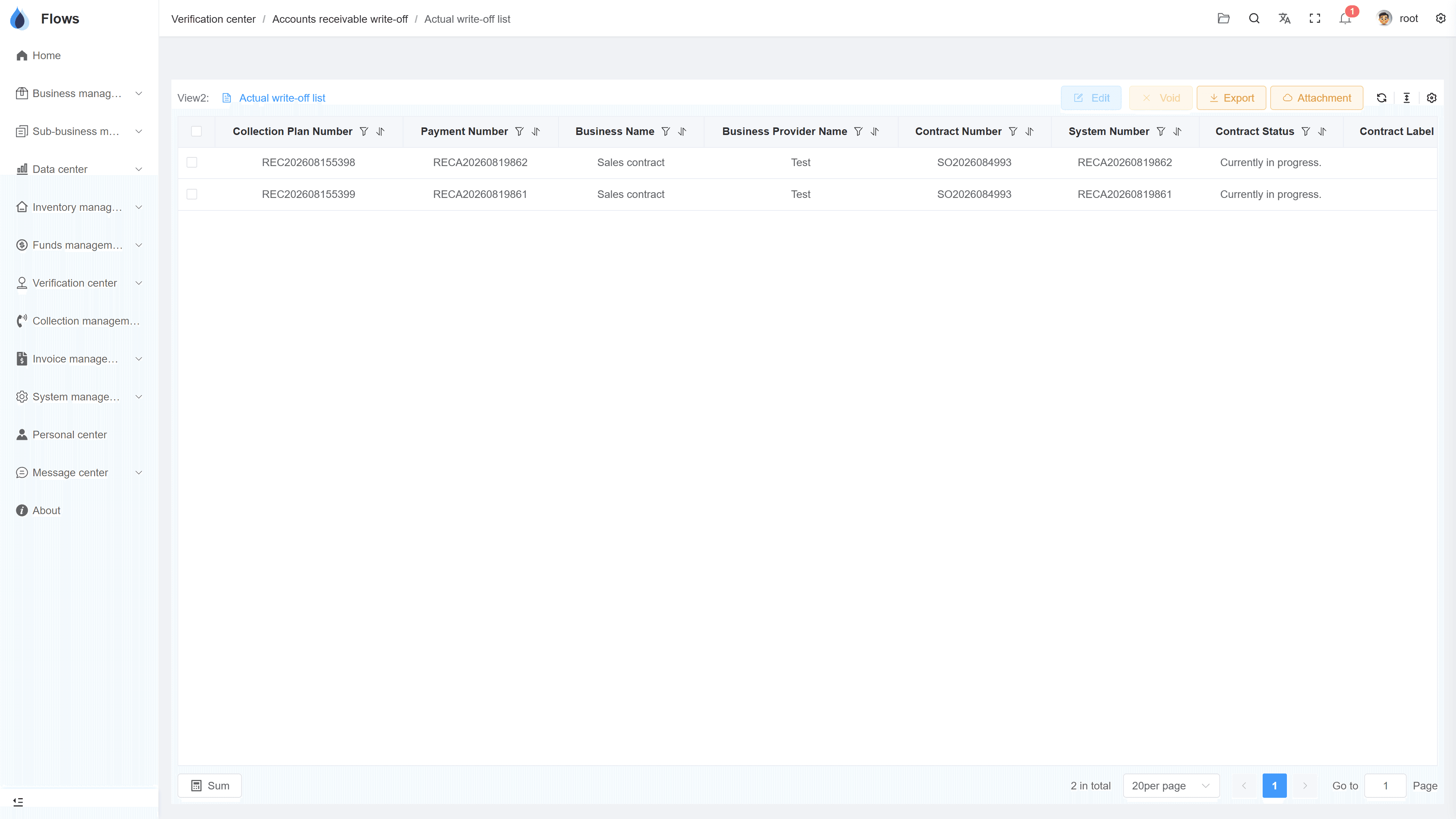
One transfer that pays many invoices can be settled in a single batch action, across contracts. With Excel, you upload many write-offs at once, and Flows checks every row.
- Many periods in one action
- Across multiple contracts
- Bulk write-offs via Excel
- Every row checked
Contracts — money in & money out
Sales · money in
78% collected
Purchases · money out
55% paid on plan
Net cash this month
+฿204,100
03
Deemed receipt & payment
A discount for damaged goods, or a deduction agreed with a supplier — amounts that will never be paid but still need to be closed. Deemed receipt and deemed payment close the amount and record the reason.
- Close discounts without a payment
- Reason recorded every time
- Works on AR and AP sides
- Every change logged
Purchase contracts
Payment plan generated — 6 periods
Reminder3 days before due
Period 1 · Sep 30฿206,666
Inside the module
Real screens from Flows ERP — what your team will actually work in.
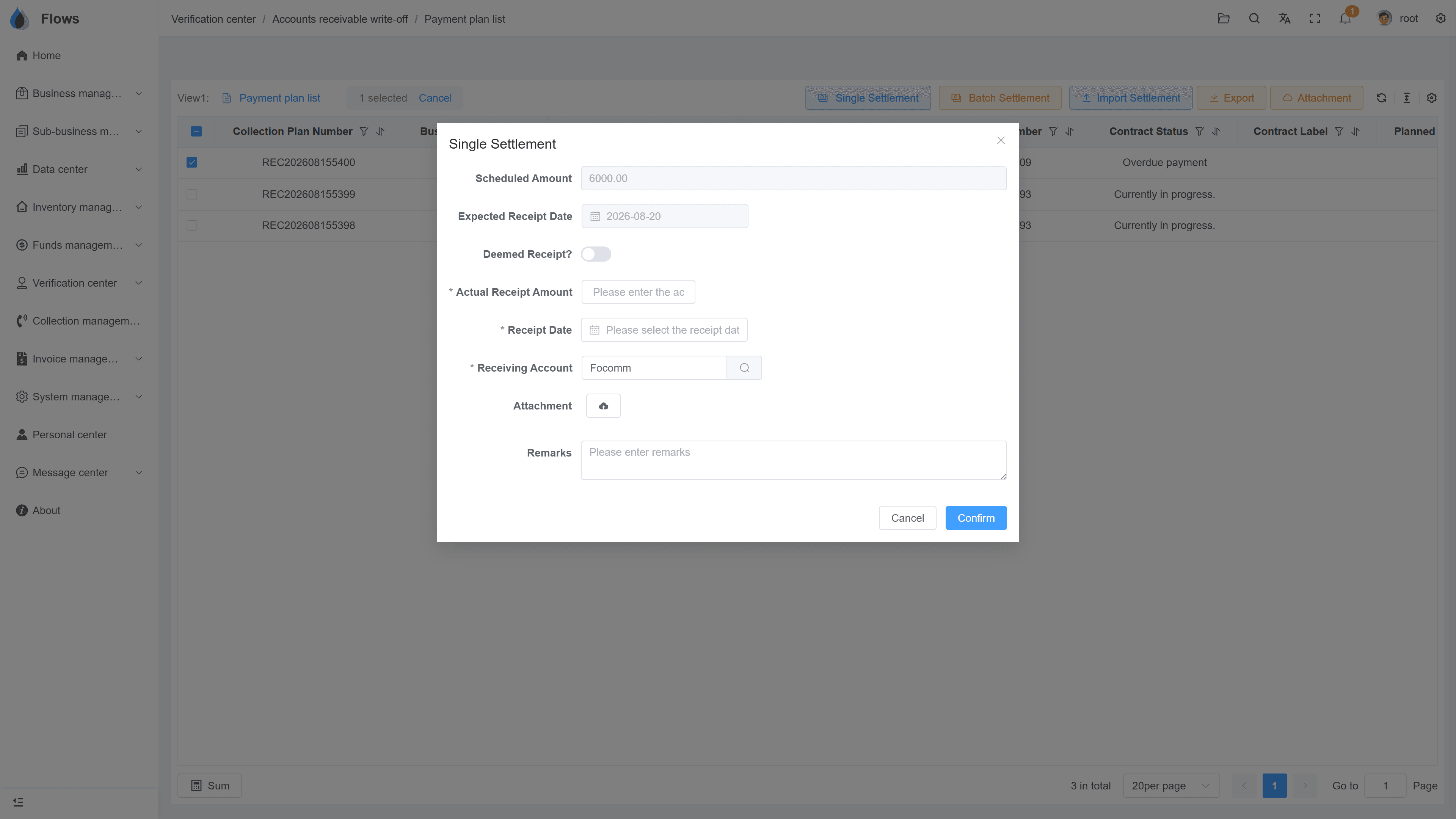
Writing off a partial payment
The period, the amount received, and the remainder that stays open.
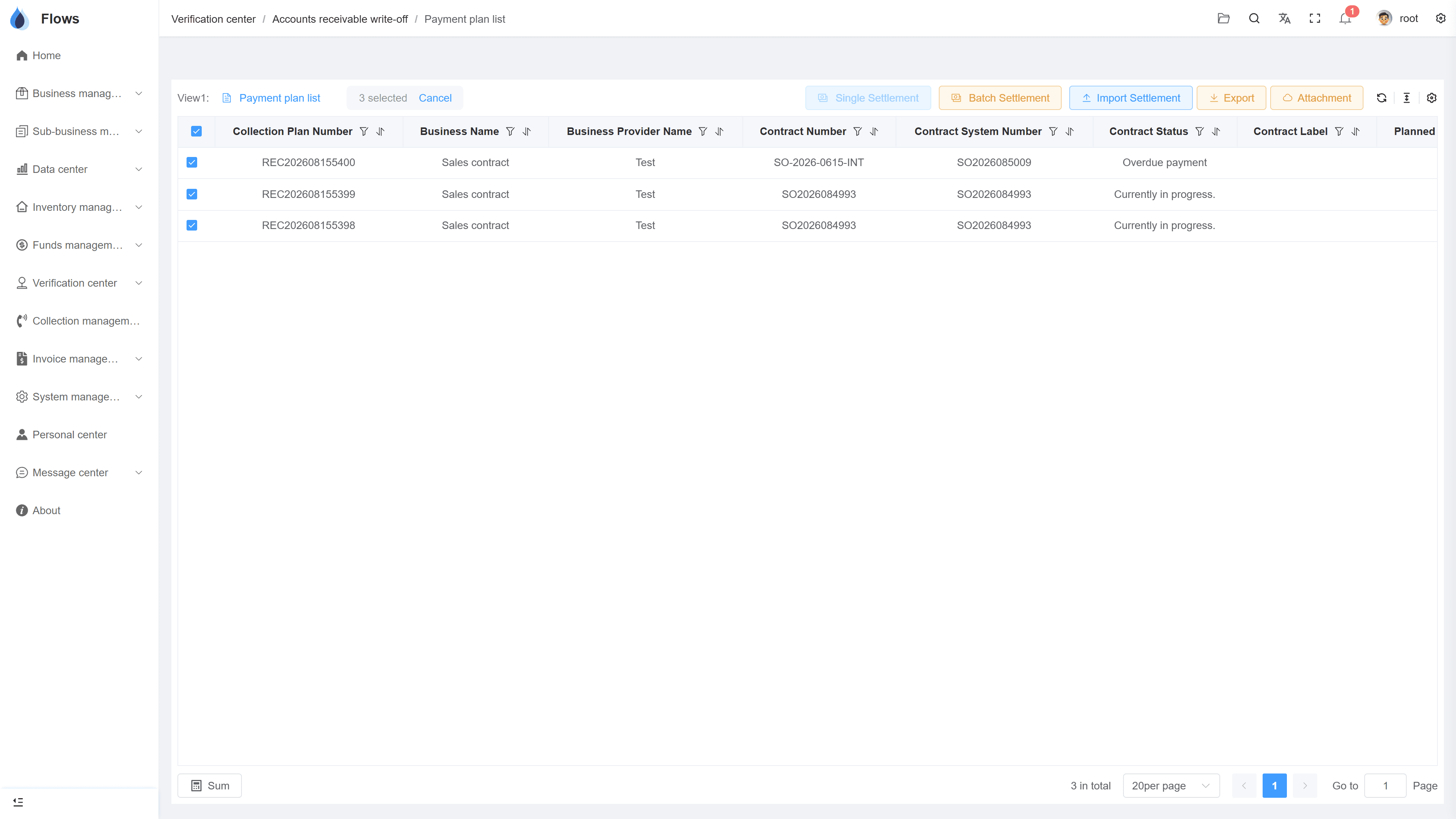
Batch write-off across contracts
One transfer settled against many periods in one action, each line linked to its contract.
Why Flows
What makes Flows different
Not another generic ERP — a system built around how Thai SMEs actually buy, sell, and collect.
See how onboarding works →Priced per company, not per seat
One annual price, every module included. Add users freely within your tier — no feature gates, no seat fees.
Three languages with auto-translation
Thai, English & Chinese UI — and the data your team enters is translated automatically, so everyone reads the same records.
Your documents, exactly your format
Send us your invoice and receipt templates; our team configures them into Flows. Every document comes out looking like yours.
We walk you live — and stay
Five-step onboarding at no extra cost, then quarterly system stability reports. We don't disappear after go-live.
Spec sheet
What write-offs include — in every plan.
Channels
Single/partial · batch · Excel upload
Directions
AR (customer receipts) and AP (supplier payments)
Partial logic
Remainder stays open with its reminder
Batch scope
Many periods across many contracts at once
Deemed modes
Deemed receipt & deemed payment, with reasons
Export
Export write-off data to Excel
Cheques
Link cheques received and issued to AR and AP
Logs
User, time, and amount on every write-off
Frequently asked questions
What is a write-off in Flows ERP?
A write-off records a payment against the plan: a customer's payment against a sales contract, or your payment against a purchase contract. Once it's written off, the balance on the contract updates straight away.
How are partial payments handled?
You can write off the amount that was actually received. The rest of the period stays open and keeps its reminder until it's fully paid.
Can one bank transfer settle several invoices?
A single transfer can settle several invoices with a batch write-off. Select the periods, even across different contracts, and settle them all in one step.
How do we write off many payments at once with Excel?
Download the write-off template, fill in the payments, and upload the file. Flows checks every row and tells you if anything needs fixing.
What are deemed receipt and deemed payment for?
They close amounts that won't actually be paid, such as a discount for damaged goods on the customer side or a quality deduction on the supplier side. The amount is closed and the reason is recorded.
Who can perform write-offs?
Only the people you give permission to can write off payments. Every write-off is recorded with the user, the time, and the amount.
Settle a real day's payments in minutes.
Start a free one-month trial, or book a demo and bring a real day's payments — we'll settle them together.