 Flows ERP
The write-off centergoods and money in one place
Goods out, goods in, money in, money out — every change is linked to the corresponding contract.
One-month free trial before you buy.
01
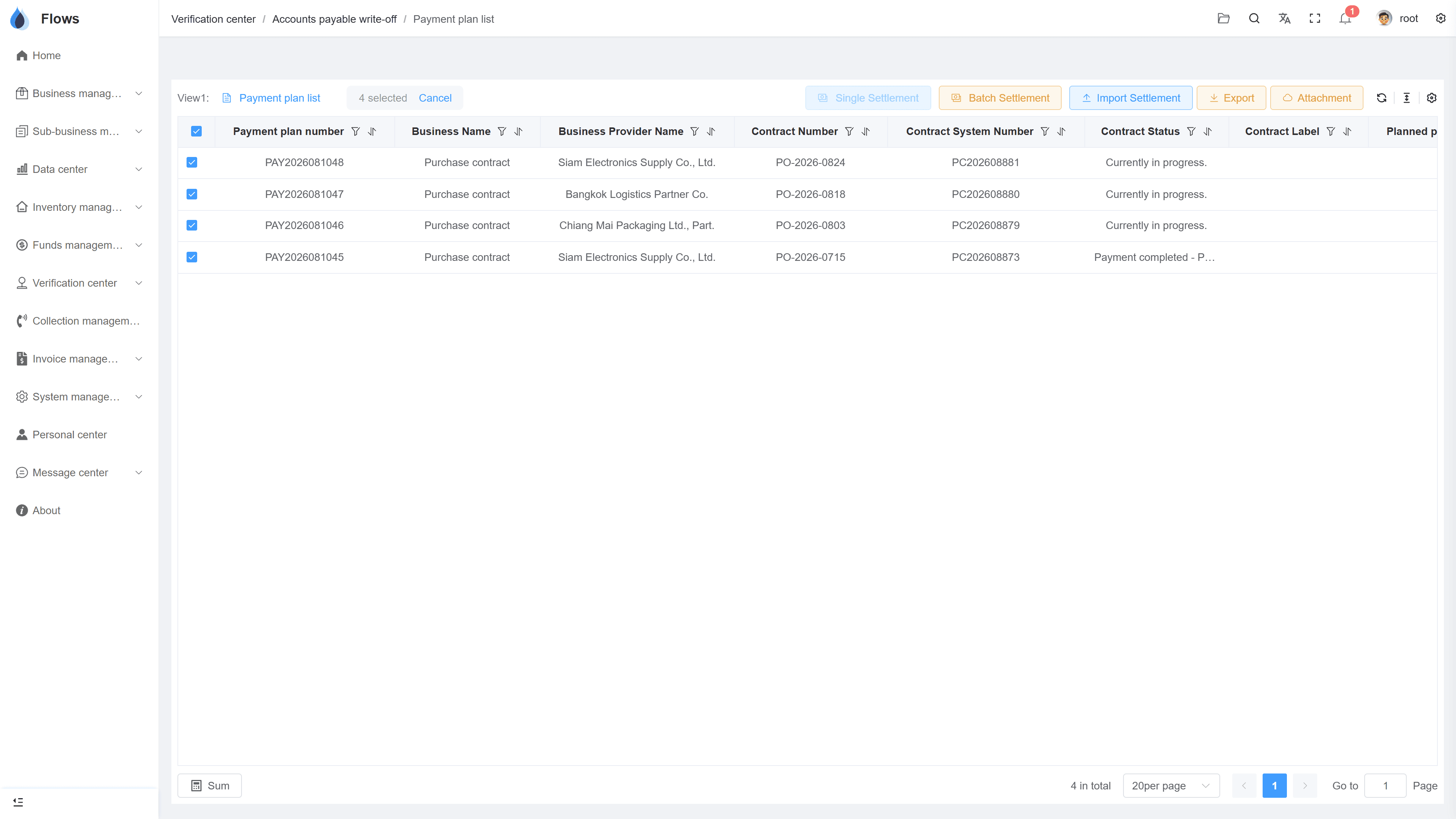
Goods and money confirmed in one place
Confirm goods going out and coming in, money received, and money paid — all in the write-off center. Your staff don't need much training to work across the different parts of the system.
- Outbound & inbound confirmations
- AR & AP settlements
- Quick to learn, easy to use
- Everything linked to contracts
AR write-off center
02
What's pending, and what's done
One view lists the plans still waiting for confirmation; the other shows every shipment, receipt, collection, and payment already confirmed. Search and filter by contract number, customer name, contract date, and more.
- Filter in many ways
- Confirmed records for checking
- Search by contract, customer, or date
- Export any data to Excel
Contracts — money in & money out
Sales · money in
78% collected
Purchases · money out
55% paid on plan
Net cash this month
+฿204,100
03
Access only for the staff who need it
Set which employees or departments can confirm outbound, inbound, AR, and AP write-offs, based on how your company works. Every change is logged, with the user and the time.
- Write-off rights per employee or department
- Separate rights for goods and money
- User & time on every write-off
- Every change logged
Contract SC-2026-041 · Bangkok Trading
@Somchai please follow up period 3
Logged on the contract · visible to the team
Inside the module
Real screens from Flows ERP — what your team will actually work in.
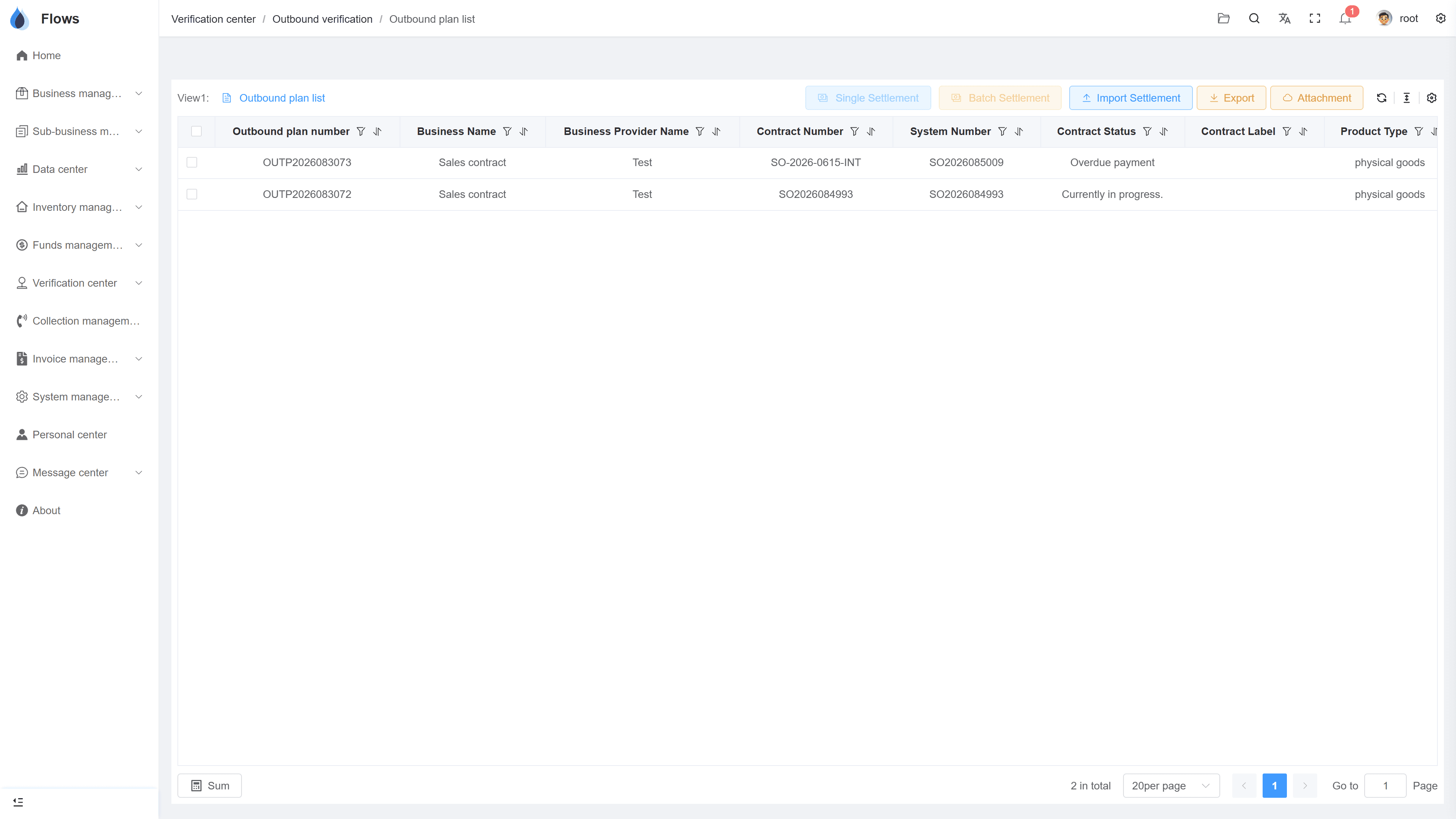
Waiting for confirmation
Periods and plans waiting to be confirmed, across all contracts.
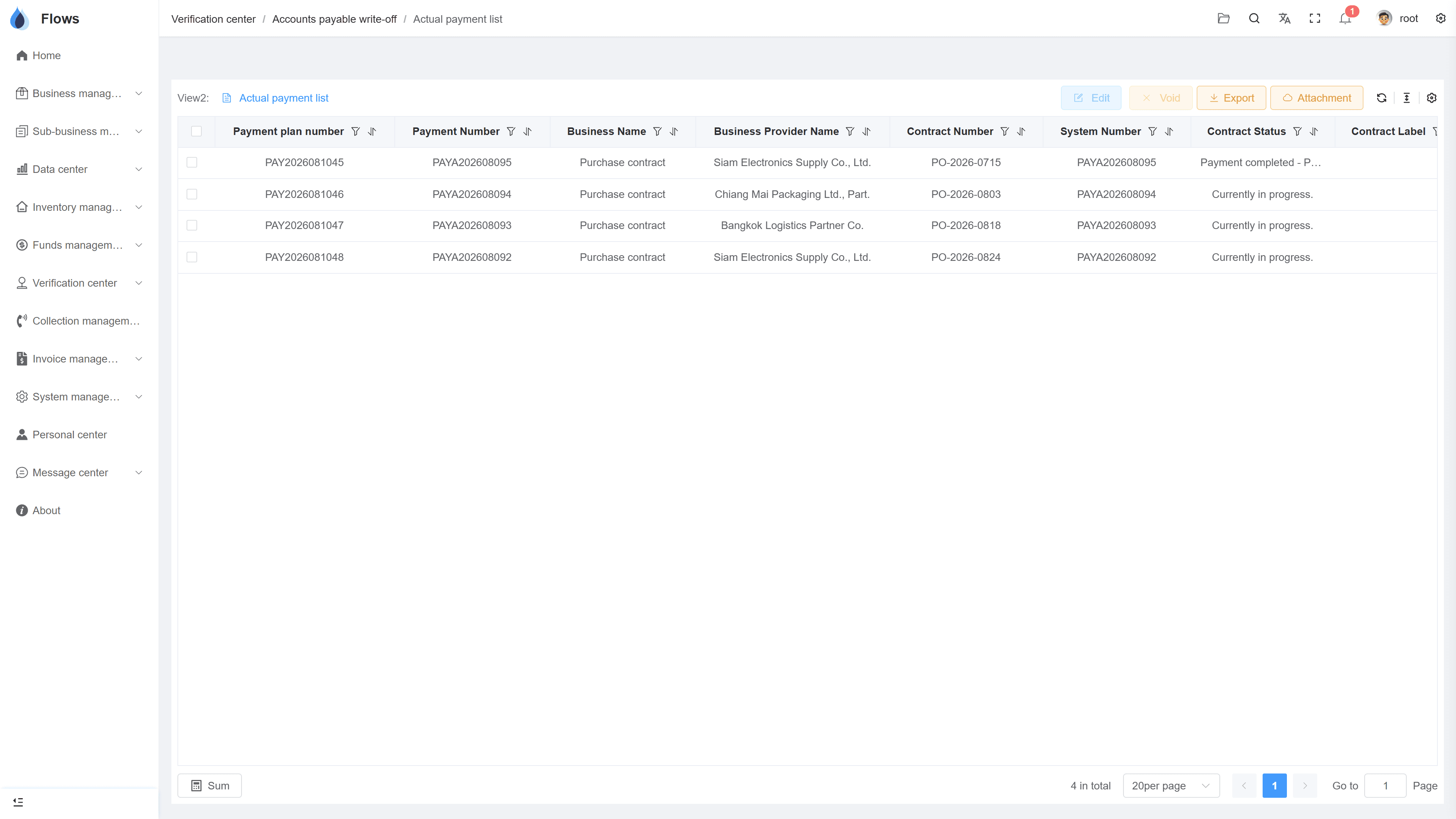
Confirmed records
Confirmed shipments, receipts, and settlements, in order.
Why Flows
What makes Flows different
Not another generic ERP — a system built around how Thai SMEs actually buy, sell, and collect.
See how onboarding works →Priced per company, not per seat
One annual price, every module included. Add users freely within your tier — no feature gates, no seat fees.
Three languages with auto-translation
Thai, English & Chinese UI — and the data your team enters is translated automatically, so everyone reads the same records.
Your documents, exactly your format
Send us your invoice and receipt templates; our team configures them into Flows. Every document comes out looking like yours.
We walk you live — and stay
Five-step onboarding at no extra cost, then quarterly system stability reports. We don't disappear after go-live.
Spec sheet
What the write-off center includes — in every plan.
Confirmations
Outbound · inbound · AR collections · AP payments
Views
Pending plans · confirmed records
Write-off options
Single/partial and batch write-offs
Deemed settlement
Deemed receipt & payment, with reasons
Linked to contracts
Every confirmation shows which contract period it belongs to
Download data
Download write-off records to Excel
Permissions
Set who can confirm what, by employee or department
Logs
User, time, and amount on every write-off
Frequently asked questions
What is the write-off center in Flows ERP?
It's where you confirm goods and money against your contracts: goods shipped and received, customer payments collected, and supplier payments made. In Flows, each confirmation is linked to a period of a contract, so you can always see the latest amounts owed.
Can stock in/out and AR/AP write-offs be confirmed by different people?
You can split the work by role, for example the warehouse team confirms goods in and out while finance writes off AR and AP. You decide who can do what, by employee or department.
Can we confirm part of a shipment or a payment?
Partial shipments, partial receipts, and partial payments can all be confirmed. Whatever is left stays open and keeps its reminder until it's completed.
When writing off AR or AP, can I choose which period to settle?
You choose which period a payment settles. For example, if a customer has two overdue periods and pays for one, you decide whether it goes to the older or the newer period.
Make your daily operations more efficient.
Start a free one-month trial, or book a demo and bring a real day's payments.