 Flows ERP
Stock cardsthe full record of every item
What came in, what went out, and what's left for one item in one warehouse — kept up to date.
One-month free trial before you buy.
01
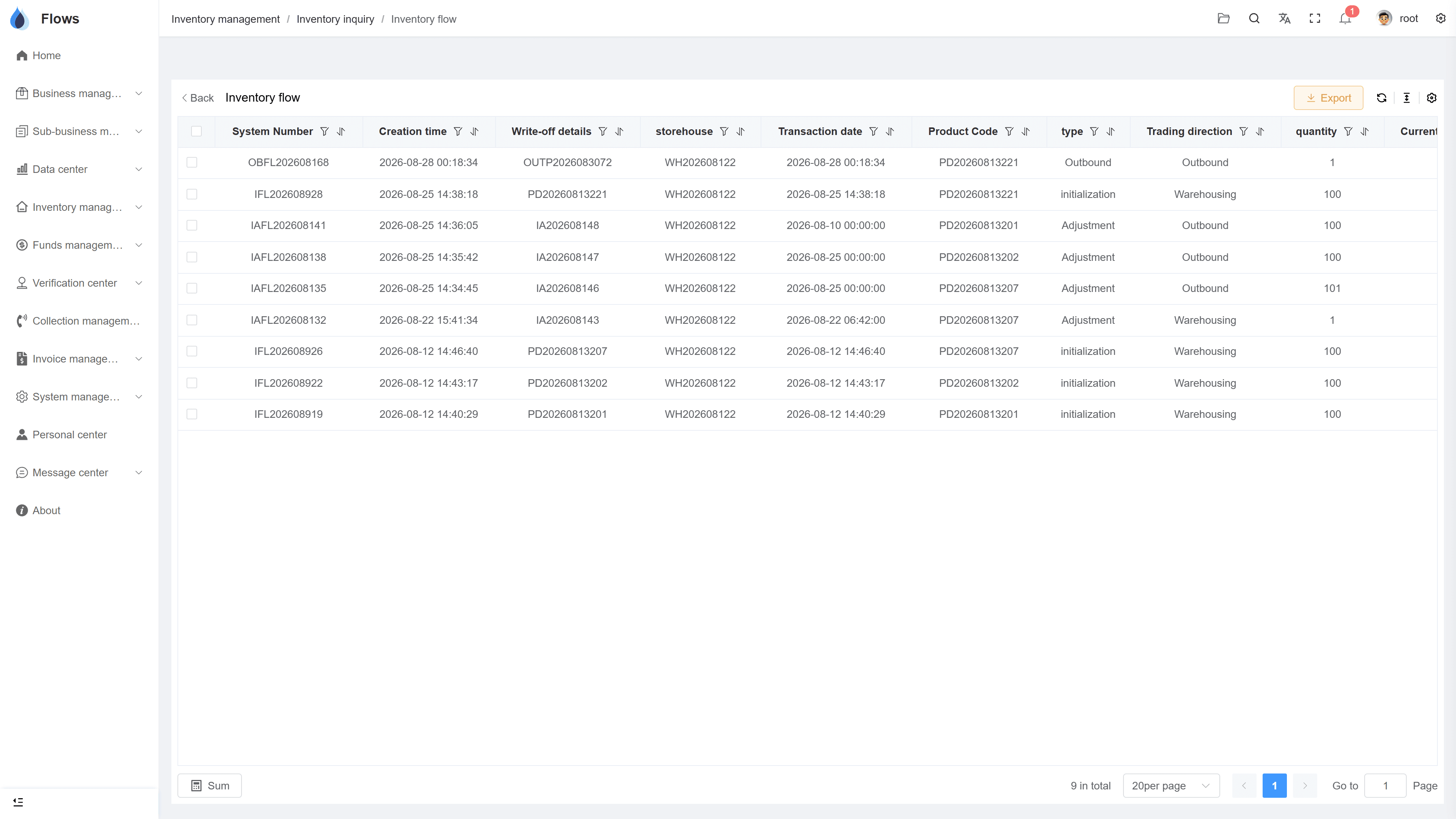
A complete record of stock movements
Flows keeps a complete record of every stock movement — date, movement type, quantity, and balance — and updates it automatically.
- Date, movement, qty, balance
- Per item and per warehouse
- Always up to date
- Data updated in real time
Stock by warehouse
Bangkok WH
248 units
Chiang Mai WH
96 units
Rayong WH
512 units
02
Find the cause of a wrong balance quickly
If a balance looks wrong, you can quickly find out why. Every stock movement shows where it came from — a sale, a purchase, a return, a transfer, or an adjustment.
- Inbound → purchase contract
- Outbound → sales contract
- Returns, transfers & adjustments shown
- Causes found quickly
Purchase contracts
Payment plan generated — 6 periods
Reminder3 days before due
Period 1 · Sep 30฿206,666
03
Export to Excel
After a stock count, compare it with the card and record any difference with a reason. You can export the data to Excel whenever you need it.
- Check against physical counts
- Adjustments with reasons
- Export data to Excel
- Easy for audits
Sales revenue — last 6 months
Revenue · Aug
฿4.2M
+18% vs last month
Gross margin
32.4%
Overdue receivables
฿310K
-22% vs last month
Inside the module
Real screens from Flows ERP — what your team will actually work in.
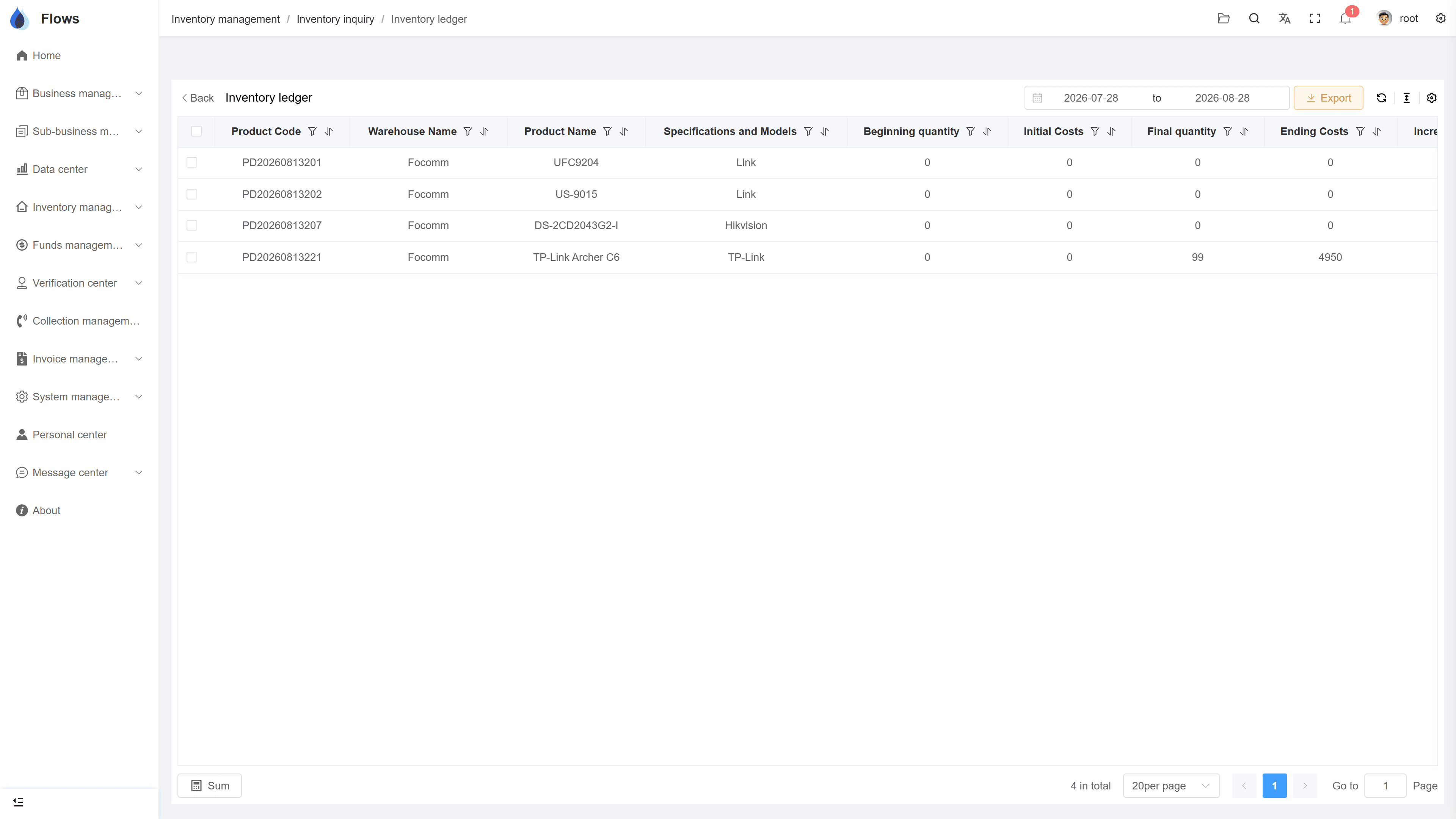
Stock card for one item
The full movement history for one product in one warehouse, with the balance on every line.
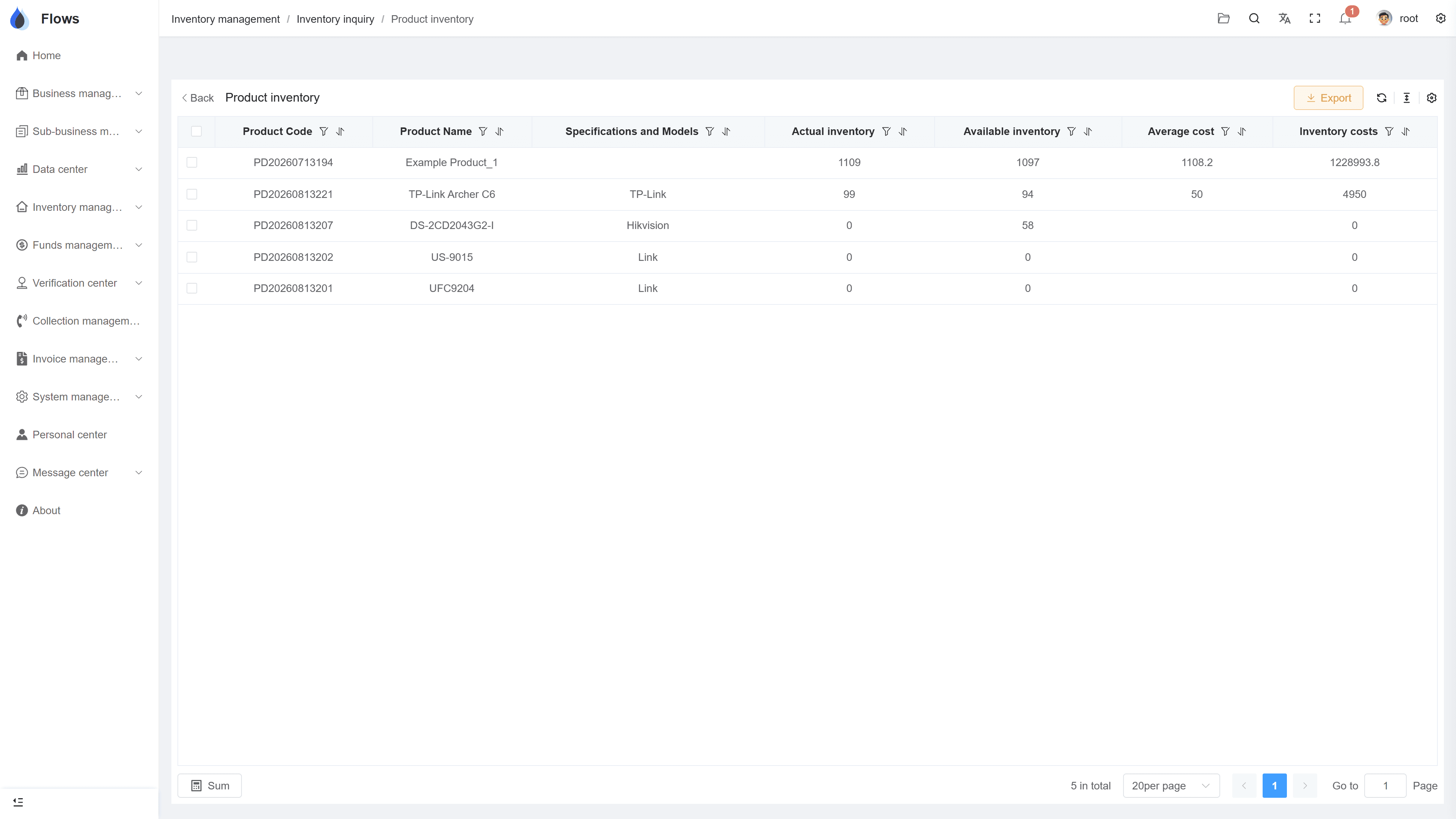
Stock across warehouses
The same item's quantities and movements across all warehouses.
Why Flows
What makes Flows different
Not another generic ERP — a system built around how Thai SMEs actually buy, sell, and collect.
See how onboarding works →Priced per company, not per seat
One annual price, every module included. Add users freely within your tier — no feature gates, no seat fees.
Three languages with auto-translation
Thai, English & Chinese UI — and the data your team enters is translated automatically, so everyone reads the same records.
Your documents, exactly your format
Send us your invoice and receipt templates; our team configures them into Flows. Every document comes out looking like yours.
We walk you live — and stay
Five-step onboarding at no extra cost, then quarterly system stability reports. We don't disappear after go-live.
Spec sheet
What stock cards include — in every plan.
Columns
Date · movement type · quantity · balance
Scope
Per item, per warehouse — and across warehouses
Updates
Automatic, from confirmed movements
Alerts
Low-stock minimums per product
Export
Export data to Excel
Logs
Every movement records its user and time
Frequently asked questions
What is a stock card in Flows ERP?
A stock card is a record for one item that lists every movement with its date, type, and quantity. It also shows the balance, so you can see how the stock changed over time.
What does a stock card in Flows show?
It shows every in and out for an item, and each one can be traced back to its sales or purchase contract. It's also easy to check during audits and can be exported to Excel.
Does each warehouse have its own card?
Each item has a card for every warehouse. There's also a combined view when you want the item's total across warehouses, including transfers between them.
How do we compare a physical count with the card?
Count what's on the shelf, compare it with the card's balance, and record any difference as an adjustment with its reason. The adjustment then appears on the card like any other movement.
Can we export a stock card to Excel?
Stock card data can be exported to Excel. This makes it easy to share with your accountant or auditor.
Keep your stock cards in Flows.
Start a free one-month trial, or book a demo and trace one of your own products from start to finish.