 Flows ERP
Reminders & calendareverything that's still to do
Payments, deliveries, follow-ups on overdue payments, and your own tasks — all on one calendar.
One-month free trial before you buy.
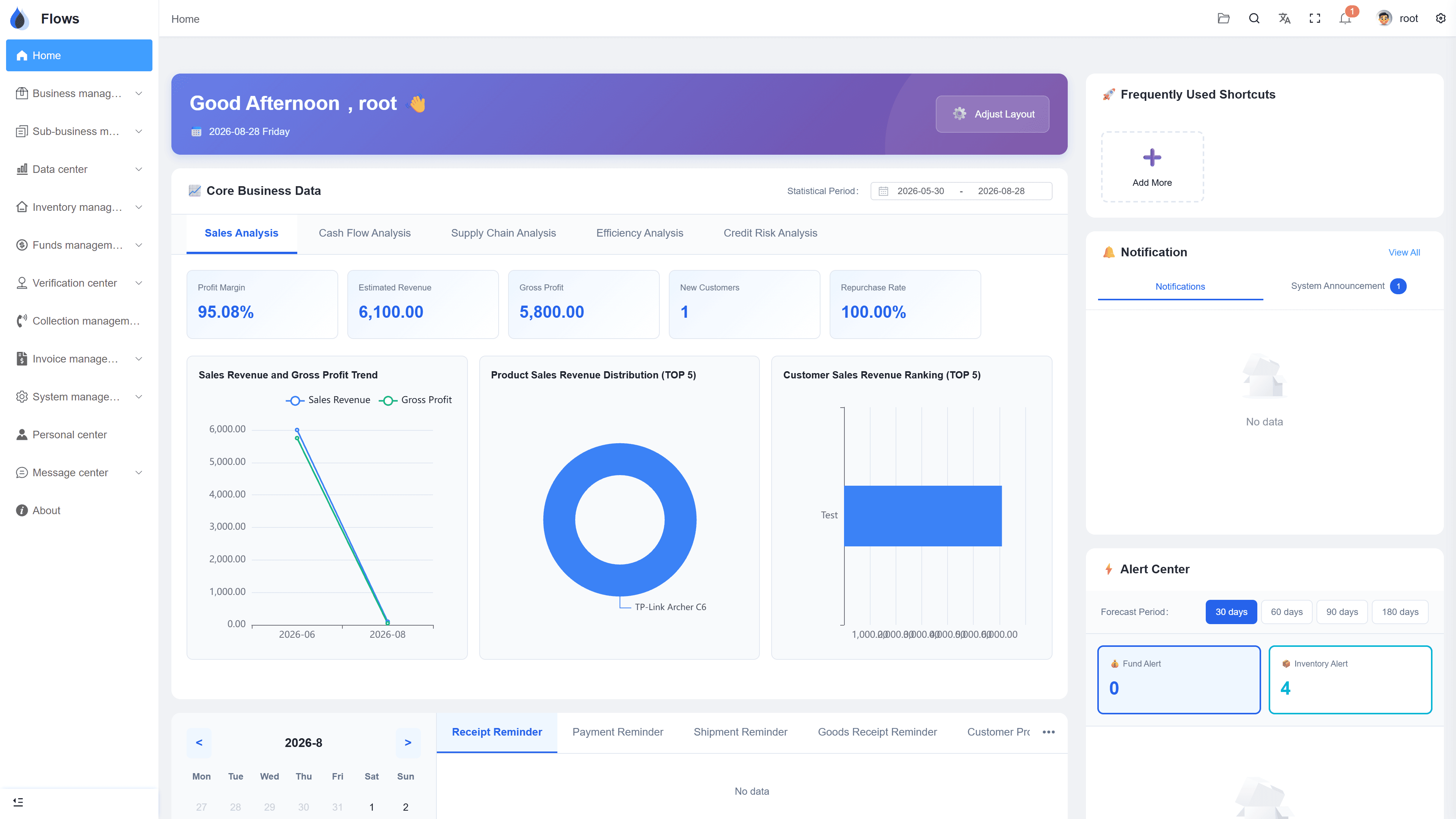
01
Reminders created automatically
Every date in your contracts — payments and deliveries — becomes a reminder automatically, and it will be closed once the work is done.
- Created with the payment plan
- Shipments & receipts included
- Marked done automatically
- Export reminders to Excel
AR write-off center
02
A calendar of everything still to do
Upcoming payments, deliveries, and overdue follow-ups from every contract appear on one calendar, so everyone knows what's coming up and what's overdue.
- Your own reminders included
- Export to Excel
- Click through to the contract
- Across every contract
Contracts — money in & money out
Sales · money in
78% collected
Purchases · money out
55% paid on plan
Net cash this month
+฿204,100
03
Your own reminders, and tasks for colleagues
Create your own reminders, or give a colleague a task with a due date. It shows up in their calendar, so nothing gets forgotten.
- Custom reminders
- Assign tasks to colleagues
- Tasks show in their calendar
- Due dates you set
Sales contracts
Payment plan generated — 12 periods
Period 1 · Sep 30฿104,166
Period 2 · Oct 31฿104,166
Inside the module
Real screens from Flows ERP — what your team will actually work in.
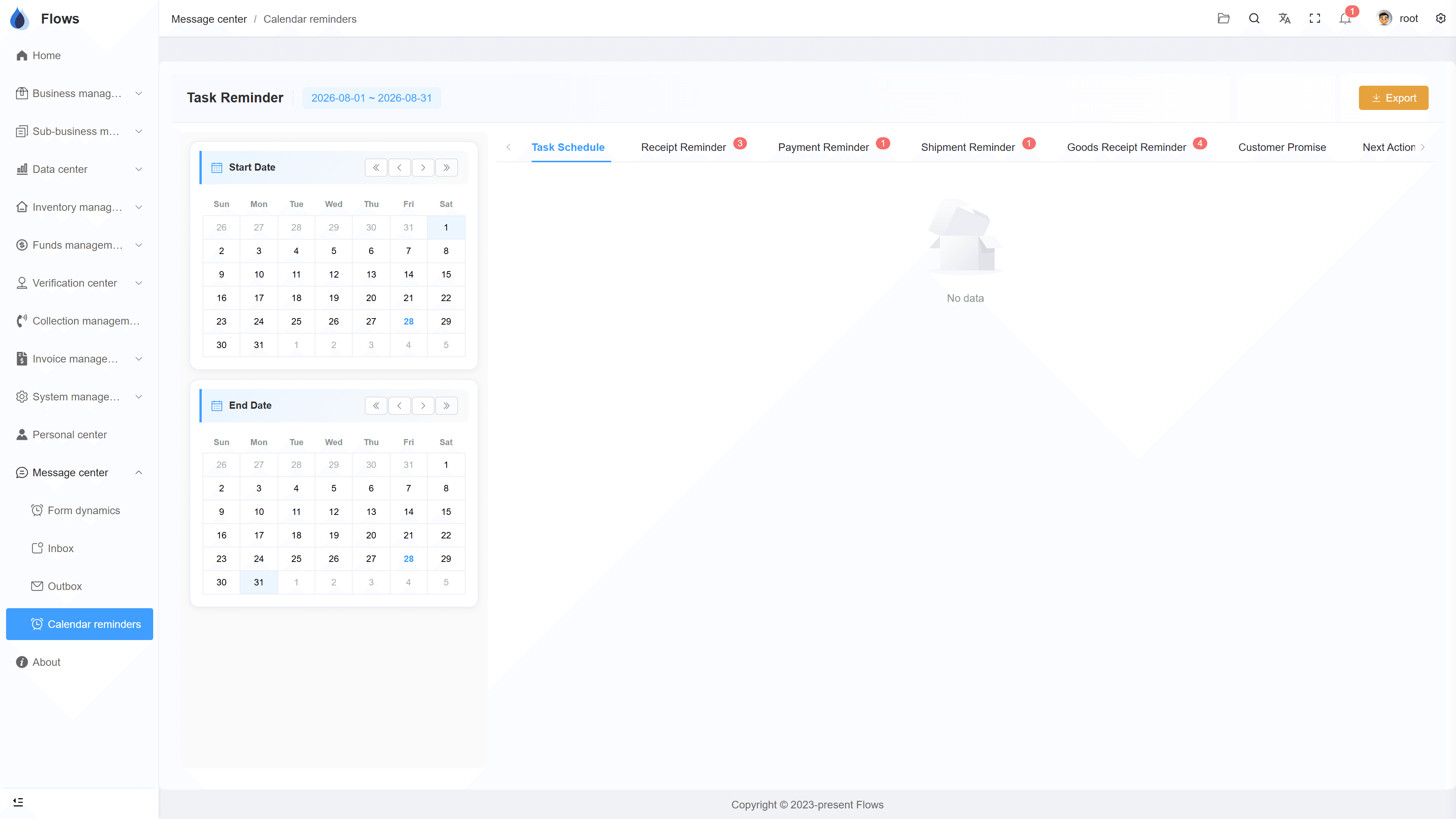
The calendar view
This week's collections, payments, and deliveries across all contracts, on one screen.
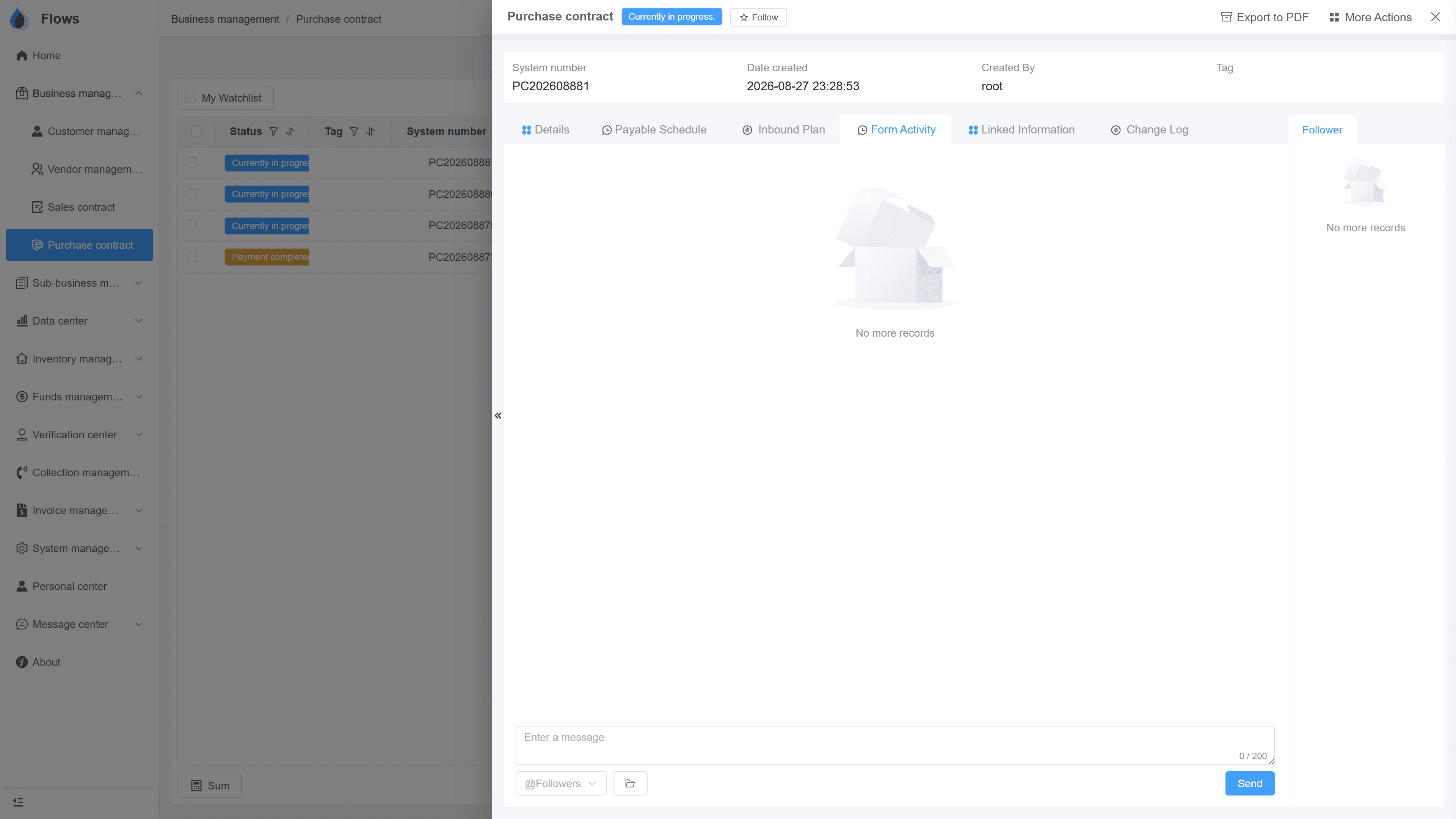
A reminder on the record
The period's due date and reminder, right on the contract.
Why Flows
What makes Flows different
Not another generic ERP — a system built around how Thai SMEs actually buy, sell, and collect.
See how onboarding works →Priced per company, not per seat
One annual price, every module included. Add users freely within your tier — no feature gates, no seat fees.
Three languages with auto-translation
Thai, English & Chinese UI — and the data your team enters is translated automatically, so everyone reads the same records.
Your documents, exactly your format
Send us your invoice and receipt templates; our team configures them into Flows. Every document comes out looking like yours.
We walk you live — and stay
Five-step onboarding at no extra cost, then quarterly system stability reports. We don't disappear after go-live.
Spec sheet
What reminders & the calendar include — in every plan.
Creation
Auto from contracts, or add your own
Calendar
Every upcoming payment, delivery, and task
Custom reminders
Create your own and assign tasks to colleagues
Visibility
Set by role
Where it shows
Home page, calendar, and message center
Export
Export tasks and reminders to Excel
Frequently asked questions
What does Flows remind us about?
Flows reminds you about everything with a date on a plan: payments in and out, deliveries and receiving, and collection follow-ups. You can also add reminders of your own.
Do we have to create reminders manually?
Reminders for deliveries, receipts, payments in, and payments out are created automatically from the contract, so you don't need to add them. You can also create other reminders and send them to a colleague as a task.
Where do reminders appear?
Reminders appear in three places: the home page, the calendar, and the message center. That way, everyone sees what's due as soon as they log in.
Can we control which reminders each person sees?
Yes, you can give each role its own reminder permissions, so everyone sees the reminders that matter to their job.
If a customer is overdue and promises to pay on a certain date, can Flows remind us?
Yes, record the date and amount the customer promised, and when that day comes, Flows reminds the colleagues who have permission.
Never miss a due date.
Start a free one-month trial, or book a demo and see a week's calendar built from sample contracts.