 Flows ERP
Thai, English, Chinesetranslated automatically
Foreign colleagues type in their own language, and Flows translates it so everyone reads it in theirs.
One-month free trial before you buy.
01
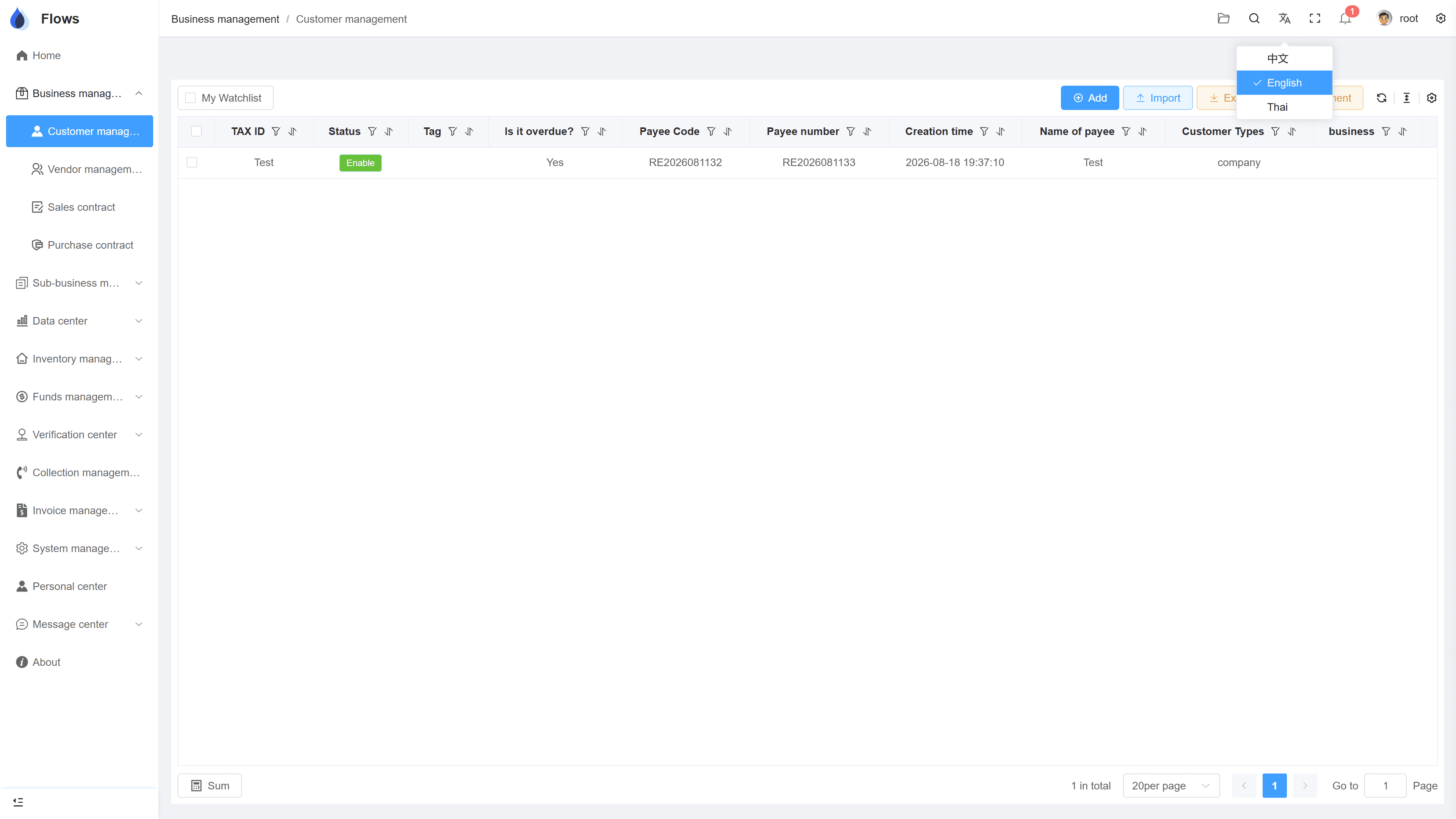
Each person chooses their own language
The interface language is a personal setting: each person chooses Thai, English, or Chinese and can switch at any time — while everyone works in the same system.
- Set per user, switch anytime
- Covers every module and screen
- Everyone in the same system
- Easier teamwork across languages
Sales contracts
Payment plan generated — 12 periods
Period 1 · Sep 30฿104,166
Period 2 · Oct 31฿104,166
02
Automatic translation of entered data
Flows translates automatically — not just the interface, but also product names, customer names, addresses, and other data your team enters. If a term needs to be exact, such as a legal company name, you can adjust the translation.
- Entered data translated automatically
- Adjust any translation manually
- Fewer mistakes from manual translation
- Same record behind every language
Customer — Bangkok Trading
@Somchai customer visit set for Thursday
Visible to the sales team only · full edit history
03
Documents in any of the three languages
Print documents in Thai, English, or Chinese from the same contract, with no re-typing.
- Documents in Thai, English, or Chinese
- On your company templates
- No re-typing, no translating
- Ready in one click
Generate documents
Generated from contract SC-2026-041
On your company template · TH/EN/ZH
Inside the module
Real screens from Flows ERP — what your team will actually work in.
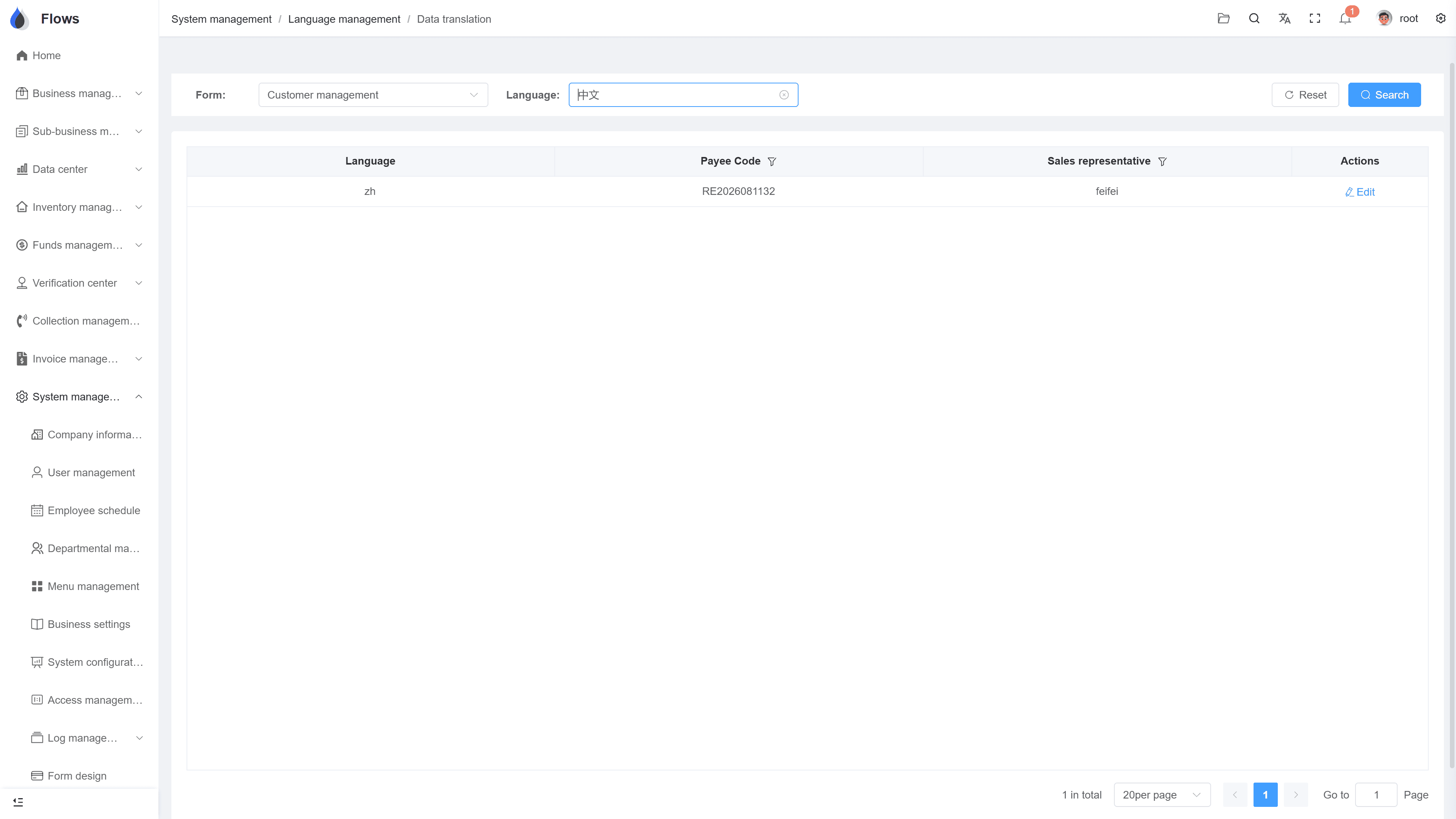
The same record in two languages
One customer record shown in Thai and in Chinese — same fields, same numbers, each person in their own language.
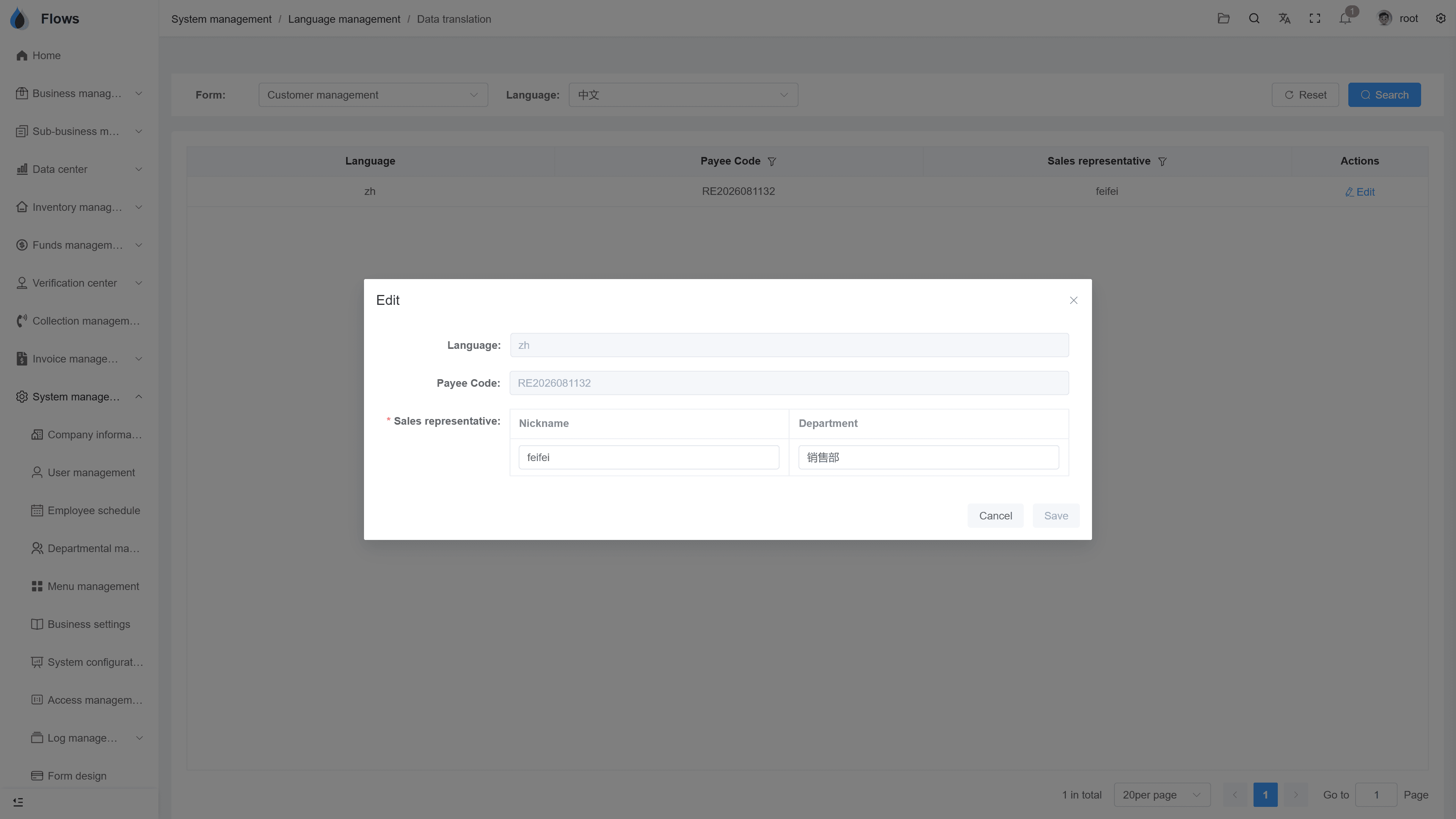
Adjusting a translation
When a company name or technical term must be exact, edit the translation directly on the record.
Why Flows
What makes Flows different
Not another generic ERP — a system built around how Thai SMEs actually buy, sell, and collect.
See how onboarding works →Priced per company, not per seat
One annual price, every module included. Add users freely within your tier — no feature gates, no seat fees.
Three languages with auto-translation
Thai, English & Chinese UI — and the data your team enters is translated automatically, so everyone reads the same records.
Your documents, exactly your format
Send us your invoice and receipt templates; our team configures them into Flows. Every document comes out looking like yours.
We walk you live — and stay
Five-step onboarding at no extra cost, then quarterly system stability reports. We don't disappear after go-live.
Spec sheet
What multi-language includes — in the multi-language plan.
UI languages
Thai · English · Chinese · More on request
Scope
Every module, screen, and menu
Setting
Per user — switchable at any time
Data translation
Entered data translated automatically
Corrections
Translated content can be edited
Translated data
Customer, contract, product, and supplier information, and more
Mixed teams
Thai, English, and Chinese speakers in one system
Easier onboarding
New staff learn the system in their own language
Frequently asked questions
Which languages does Flows ERP support?
Flows supports Thai, English, and Chinese for the interface, for entered data through auto-translation, and for output documents. Each user picks their own language and can switch at any time, and more languages are available on request.
How does auto-translation of entered data work?
When your team enters customer names, product names, addresses, or notes, Flows fills in the other languages automatically, so colleagues can read the records in their own language. Where a term must be exact, you can edit the translation.
Can we correct a translation the system got wrong?
Translations can be edited on each record. Legal company names and technical terms are the most common fixes, and once corrected, everyone reading in that language sees your version.
Can documents be issued in English or Chinese?
Invoices, billing notes, tax invoices, and receipts can be issued in Thai, English, or Chinese from the same record, using your company templates. For example, you can keep a Thai copy on file and send an English one to the customer.
Is multi-language included in every plan?
The automatic translation feature comes with the Multi-language plan, which costs 75,000–105,000 THB per year depending on team size, compared with 55,000–85,000 THB for Single-language. Both plans include every module, and this language layer is the only difference.
Do we need separate systems for each language?
Everyone works in the same system, and the language is simply a personal setting for each user. There's nothing extra to set up or keep in sync.
Let everyone work in their own language.
Start a free one-month trial, or book a demo with your mixed-language team on the call.