 Flows ERP
The form designeradd your own fields
A project code, a vehicle number, a broker's name — add the fields you need, and they work like the built-in ones.
One-month free trial before you buy.
01
Add the fields your business uses
Open settings, pick a form — customers, suppliers, contracts — and add your fields. For example, a construction contractor adds a project code to every contract, and a machinery trader adds serial numbers. No programming needed.
- Fields on the forms you choose
- Added in settings, no coding
- Ready as soon as you save
- As many fields as you need
Platform — system settings
API · data received from an external system
Button-level permissions · every change logged
02
Custom fields work like built-in fields
There's no difference between your fields and the built-in ones: they show on the record, can be used in filters and search, and are included in Excel import and export.
- Shown on the record
- Usable in filters & search
- Included in Excel import & export
- Same as built-in fields
Contract SC-2026-041 · Bangkok Trading
@Somchai please follow up period 3
Logged on the contract · visible to the team
03
Set up together — and add new forms
During onboarding we define the fields together — it's one of our onboarding steps. You can also add new forms — for example, different sales-contract forms for different types of business.
- Defined together at onboarding
- Adjustable later in settings
- Add new forms
- Different forms per business type
Customer — Bangkok Trading
@Somchai customer visit set for Thursday
Visible to the sales team only · full edit history
Inside the module
Real screens from Flows ERP — what your team will actually work in.
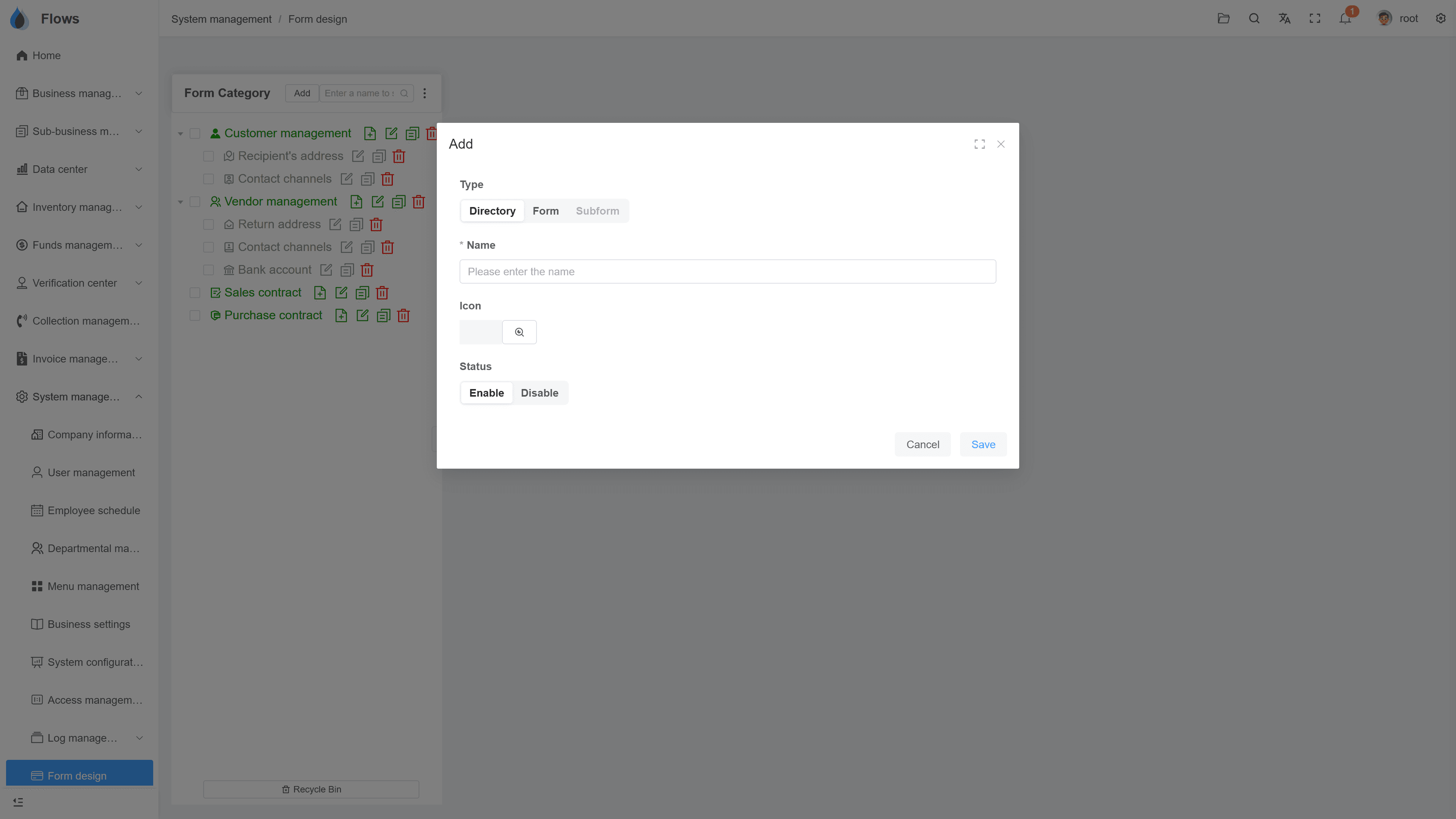
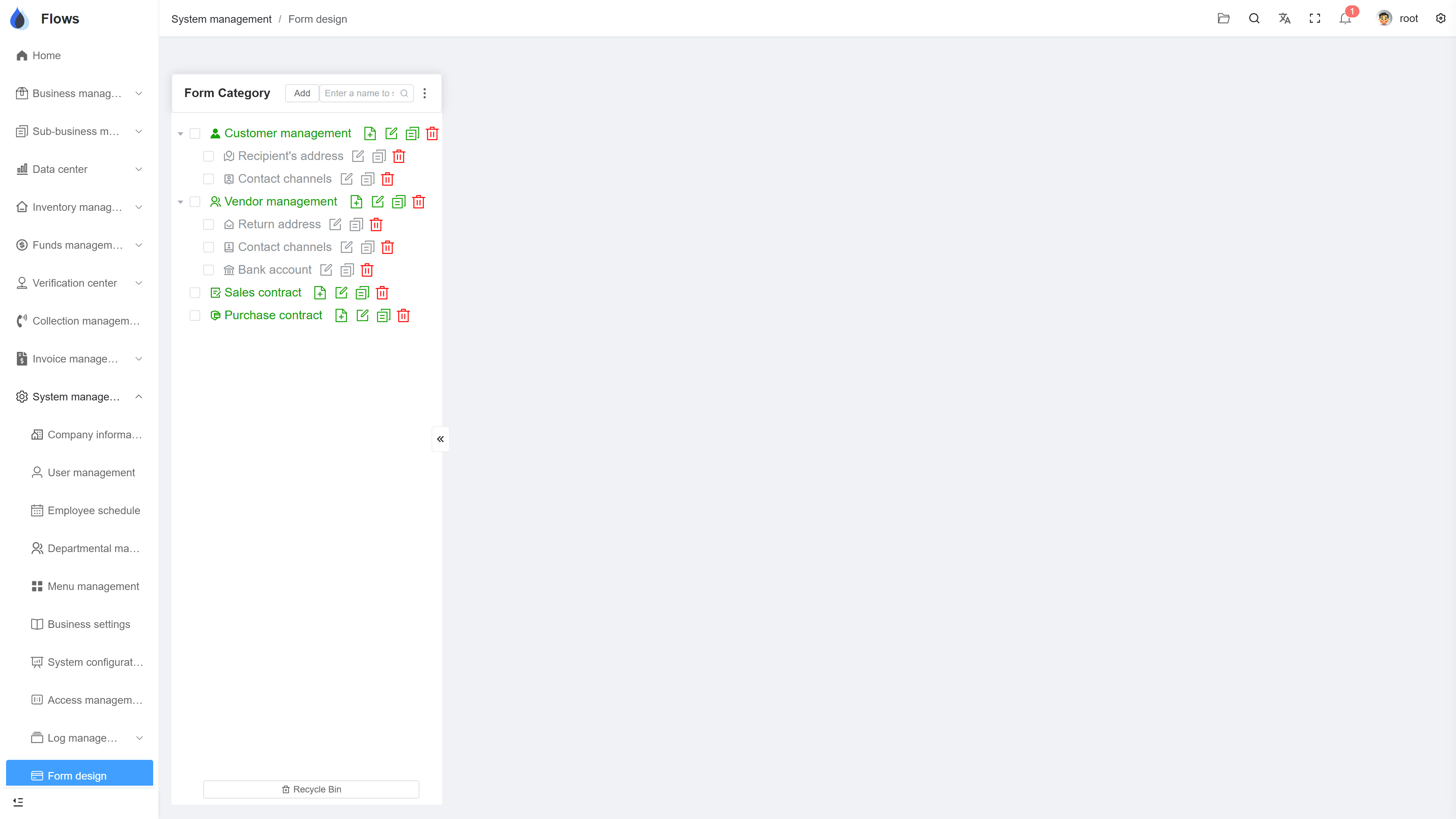
Adding a field to a form
Pick the form, name the field, choose its type — the change applies to new and existing records.
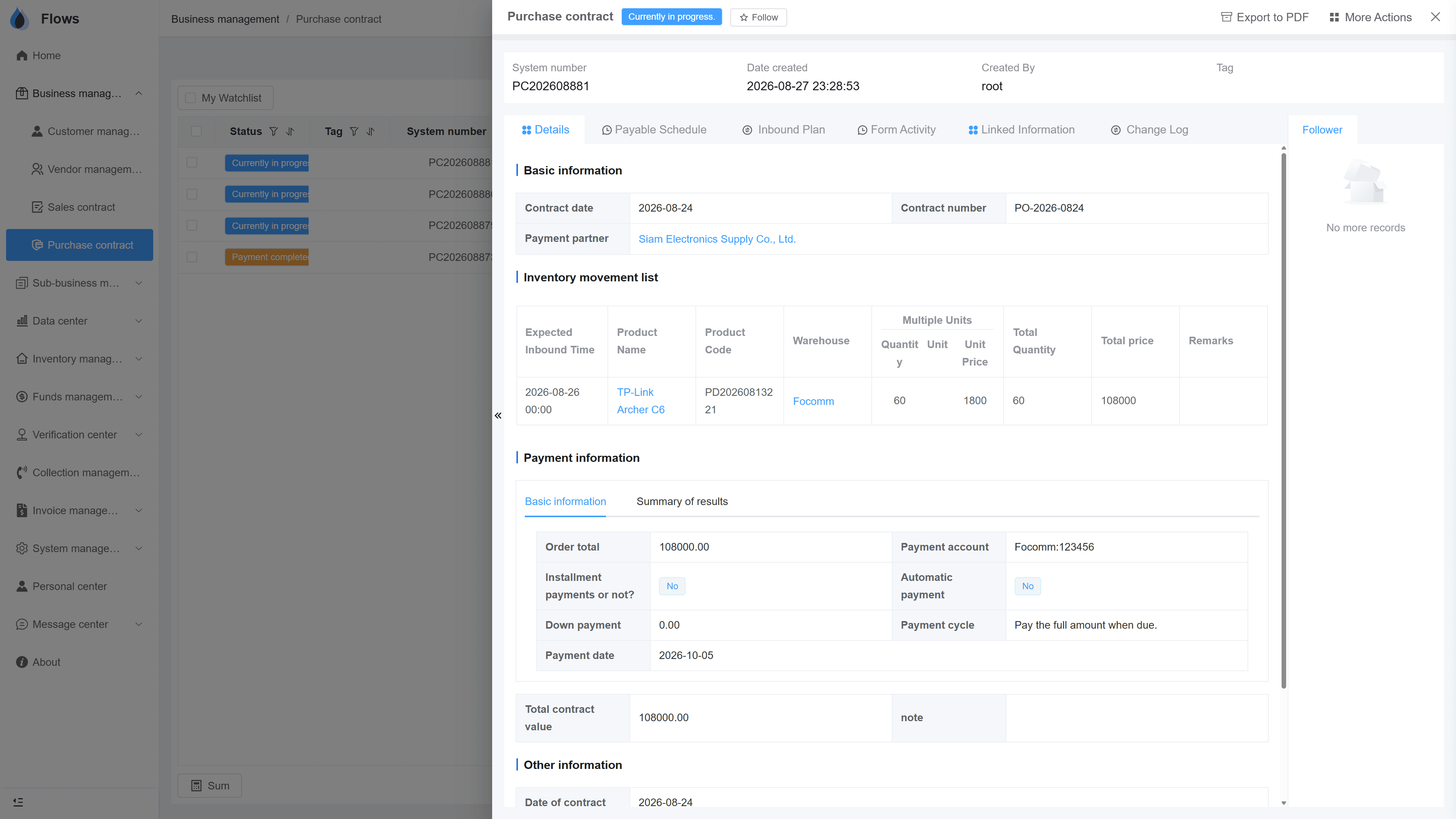
A custom field in use
The project code on a real contract — filled in, filterable, and exported with everything else.
Why Flows
What makes Flows different
Not another generic ERP — a system built around how Thai SMEs actually buy, sell, and collect.
See how onboarding works →Priced per company, not per seat
One annual price, every module included. Add users freely within your tier — no feature gates, no seat fees.
Three languages with auto-translation
Thai, English & Chinese UI — and the data your team enters is translated automatically, so everyone reads the same records.
Your documents, exactly your format
Send us your invoice and receipt templates; our team configures them into Flows. Every document comes out looking like yours.
We walk you live — and stay
Five-step onboarding at no extra cost, then quarterly system stability reports. We don't disappear after go-live.
Spec sheet
What the form designer includes — in every plan.
Forms covered
Customers, suppliers, contracts, and more
Flexible field setup
Set up fields in settings — no coding
Features
Supports filters and search, with Excel import and export
Quantity
As many custom fields as your business needs
New forms
Add more forms, e.g. per type of business
Onboarding
Fields defined together in onboarding
Field types
Text, number, date, dropdown, and more
Required fields
Mark any field as required
Frequently asked questions
Do custom fields require a developer?
No developer is needed, because an admin adds fields in settings using the form designer. The new fields behave like built-in ones, so they show on the record and work in filters and Excel.
Which forms can be customized?
You can customize the forms in Flows' modules, such as customers, suppliers, sales and purchase contracts, and related records. You can also add new forms, for example a separate sales-contract form for each type of business.
Do custom fields work in filters and Excel?
Custom fields appear on the record and can be filtered and searched like built-in fields. They're also included in Excel import and export.
Who sets up the fields?
Your admin can set them up in settings, or you can do it with the Yangshu team during onboarding. Adding fields is one of our onboarding steps, so most companies start with their fields already in place.
What happens to existing records when we add a field?
Existing records are not affected. You can fill in the new field by hand, or fill it in for many records at once with Excel.
Add your own fields to Flows.
Start a free one-month trial, or book a demo and bring your field list — we'll add one together.