 Flows ERP
Excel import & exportdata in and out, in bulk
Upload with Excel templates, export anything back to Excel — attachments included.
One-month free trial before you buy.
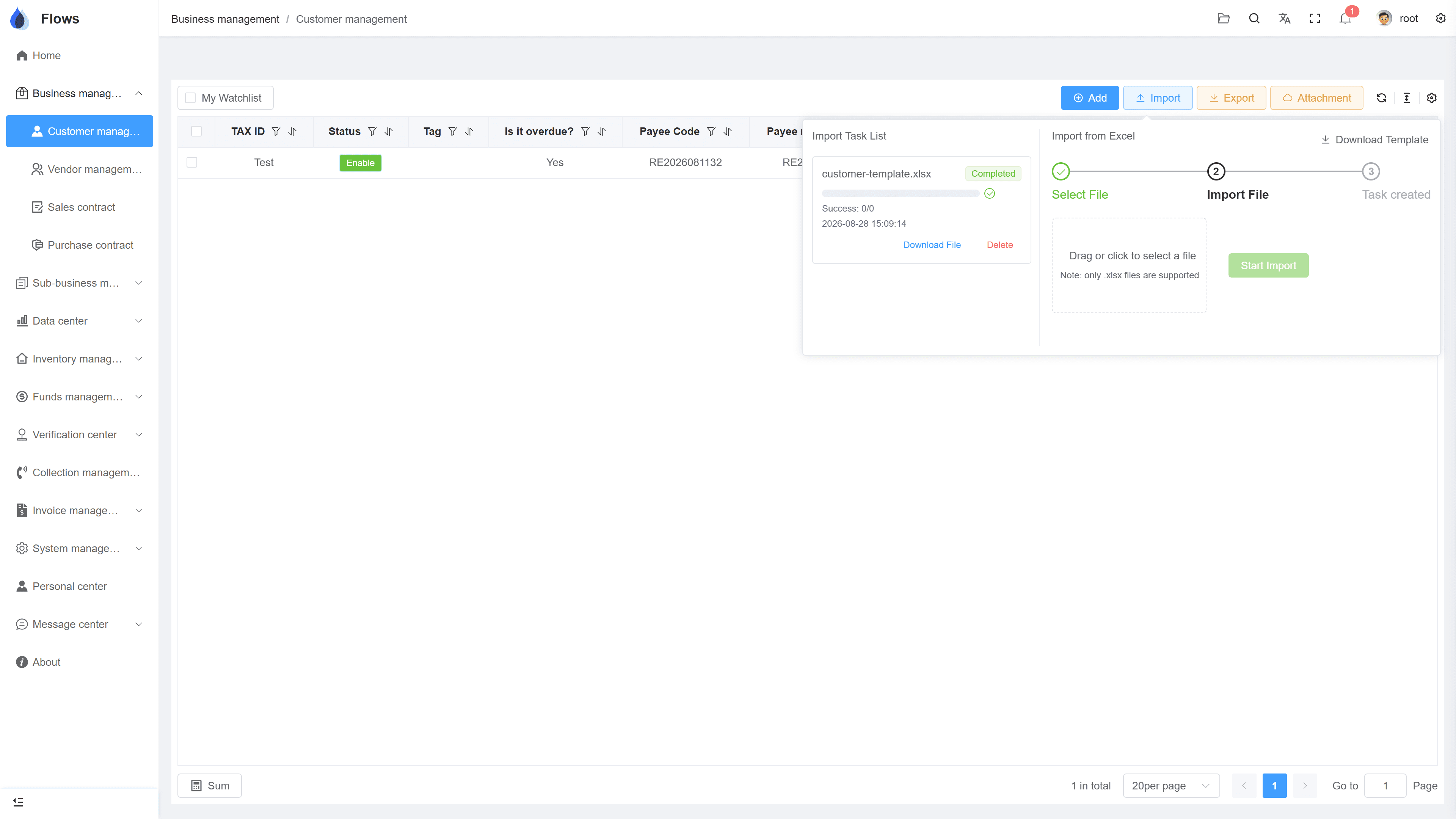
01
Upload data with Excel
Download the Excel template, fill it in, and upload it. Flows checks every row, imports the correct data, and points out the rows with errors. You can import hundreds of customers or contracts at once.
- Templates for customers, suppliers, contracts, stock
- Every row checked
- Rows with errors pointed out
- Hundreds of records at once
Customer — Bangkok Trading
@Somchai customer visit set for Thursday
Visible to the sales team only · full edit history
02
Export data to Excel
Filter any list — customers, contracts, documents, stock cards — and export it to Excel. All data in Flows can be exported.
- Filtered lists to Excel
- Any list in the system
- Stock cards & statistics too
- One click to download
Sales revenue — last 6 months
Revenue · Aug
฿4.2M
+18% vs last month
Gross margin
32.4%
Overdue receivables
฿310K
-22% vs last month
03
Upload and download attachments in bulk
Upload attachments in bulk, and download the files attached to records in bulk — for example, all the scanned contracts of hundreds of customers.
- Bulk upload of attachments
- Bulk download of attachments
- PDFs, images, and other file types
- Easy backup of all your files
AR write-off center
Inside the module
Real screens from Flows ERP — what your team will actually work in.
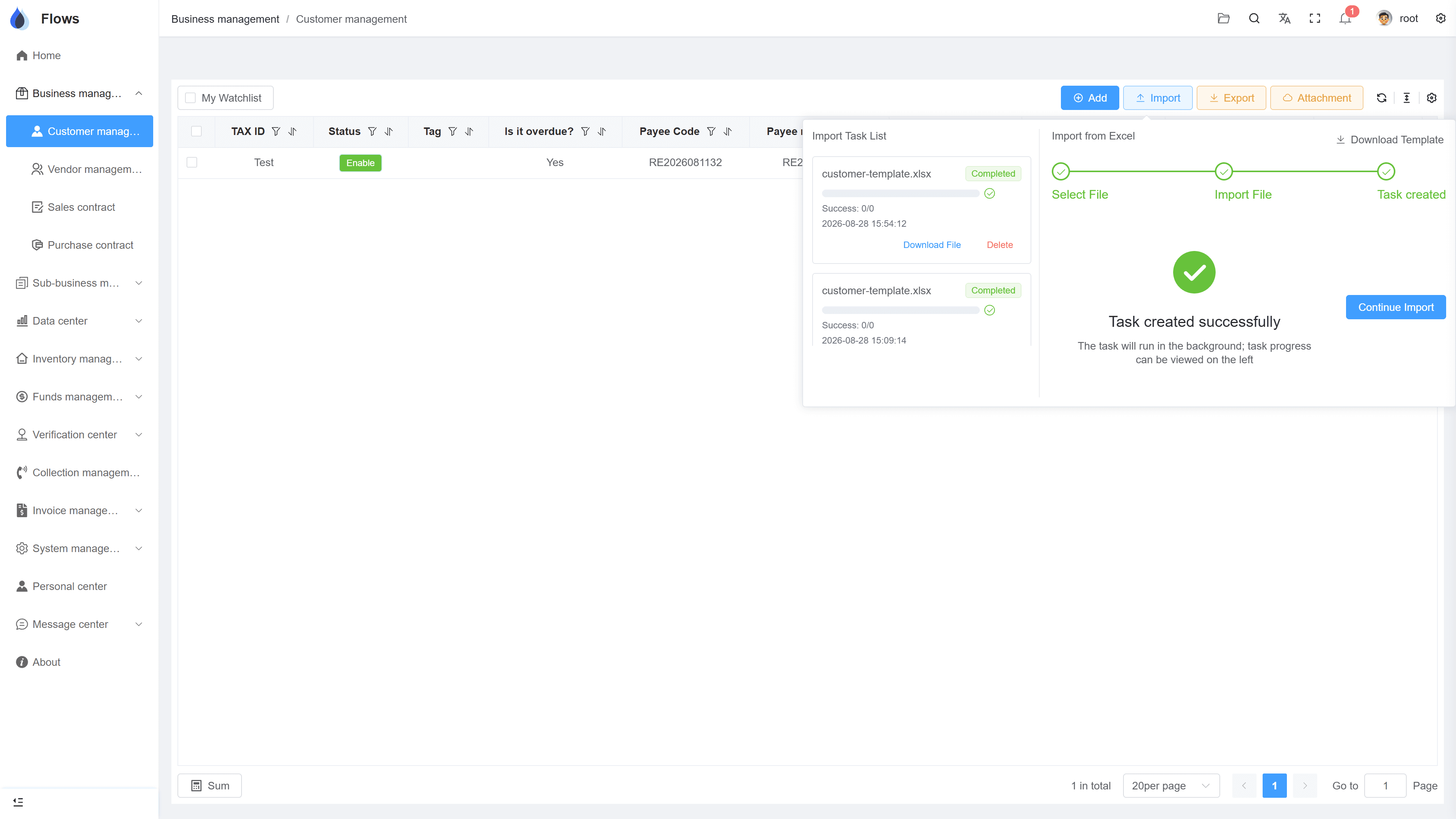
Import with error check
The uploaded file checked row by row — rows with errors are pointed out.
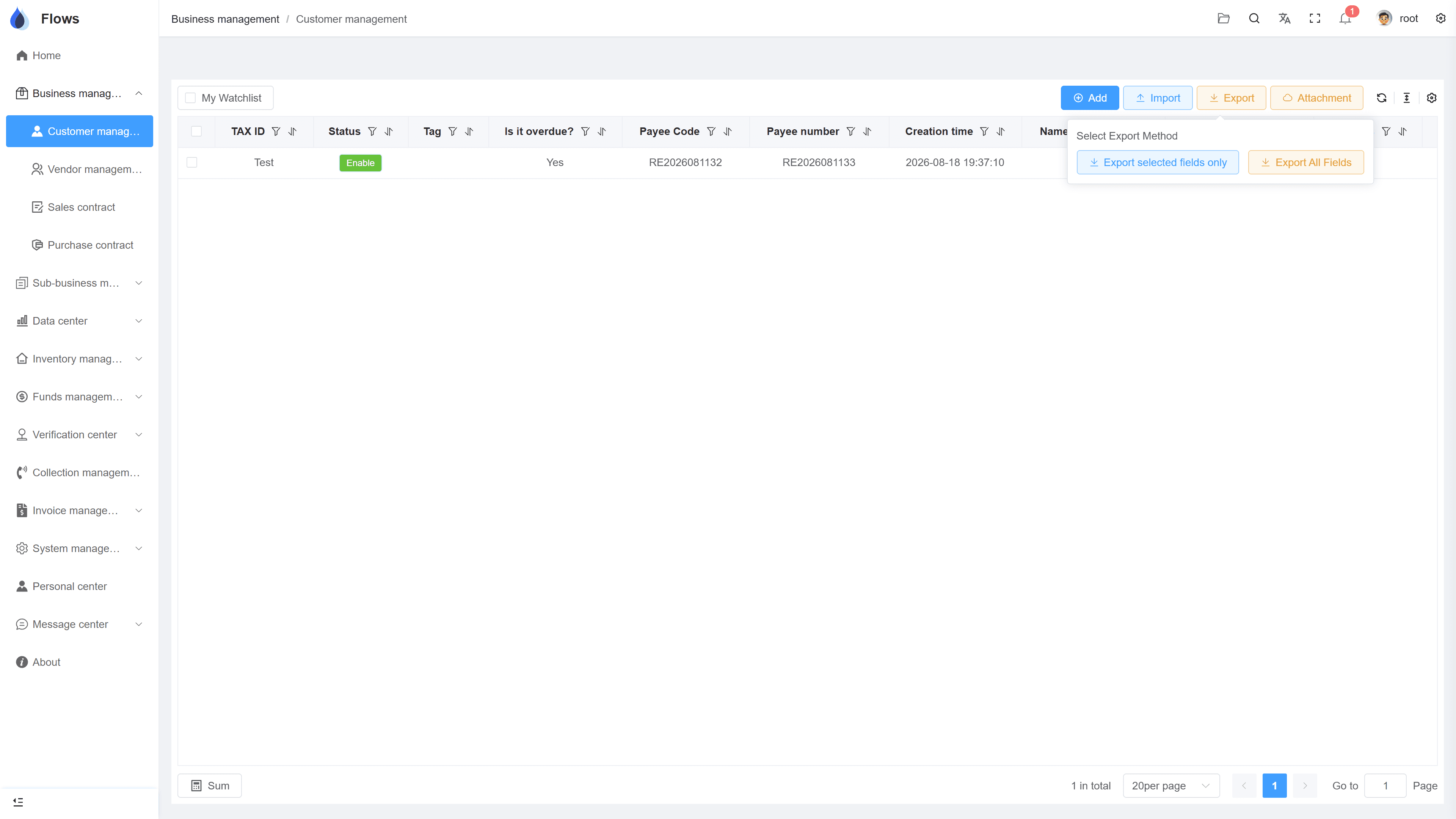
Bulk export with attachments
A filtered customer list exported — the data in the sheet, attached files alongside.
Why Flows
What makes Flows different
Not another generic ERP — a system built around how Thai SMEs actually buy, sell, and collect.
See how onboarding works →Priced per company, not per seat
One annual price, every module included. Add users freely within your tier — no feature gates, no seat fees.
Three languages with auto-translation
Thai, English & Chinese UI — and the data your team enters is translated automatically, so everyone reads the same records.
Your documents, exactly your format
Send us your invoice and receipt templates; our team configures them into Flows. Every document comes out looking like yours.
We walk you live — and stay
Five-step onboarding at no extra cost, then quarterly system stability reports. We don't disappear after go-live.
Spec sheet
What Excel import & export includes — in every plan.
Templates
Provided for each module — download, fill in, upload
Error check
Every row checked; correct rows imported, error rows marked
Efficiency
Batch write-offs and in/out confirmations via Excel
Export
Export all data from key modules to Excel
Attachments
Bulk upload and download of attached files
Permissions
Import/export rights set per role
Frequently asked questions
Can we import our data into Flows ERP with Excel?
You can import the main lists: customers, suppliers, sales and purchase contracts, products, and opening stock. Each one has its own template with the columns the system needs.
What happens if my file has errors?
Flows imports the correct rows and marks the rows that have errors, showing what's wrong. You can then fix those rows and upload them again.
Do you help us import our data into Flows ERP?
Yes, during onboarding our team shows you how to fill in the Excel templates from your old files, so you can upload your data correctly.
Can we write off receivables and payables in bulk with Excel?
Yes, you can download the write-off template and process thousands of customer payments and payments to suppliers in one upload.
Can attachments be exported too?
Yes, you can download all the attachments of many contracts, customers, or suppliers at once, which makes backups easy.
Who is allowed to import and export?
Only the people you allow can import or export. These rights are part of the role-based, button-level permissions, so you can set them for each role.
Bring your first spreadsheet into Flows.
Start a free one-month trial, or book a demo and bring a real customer list — we'll import it together.