 Flows ERP
Collection timelineevery step in order
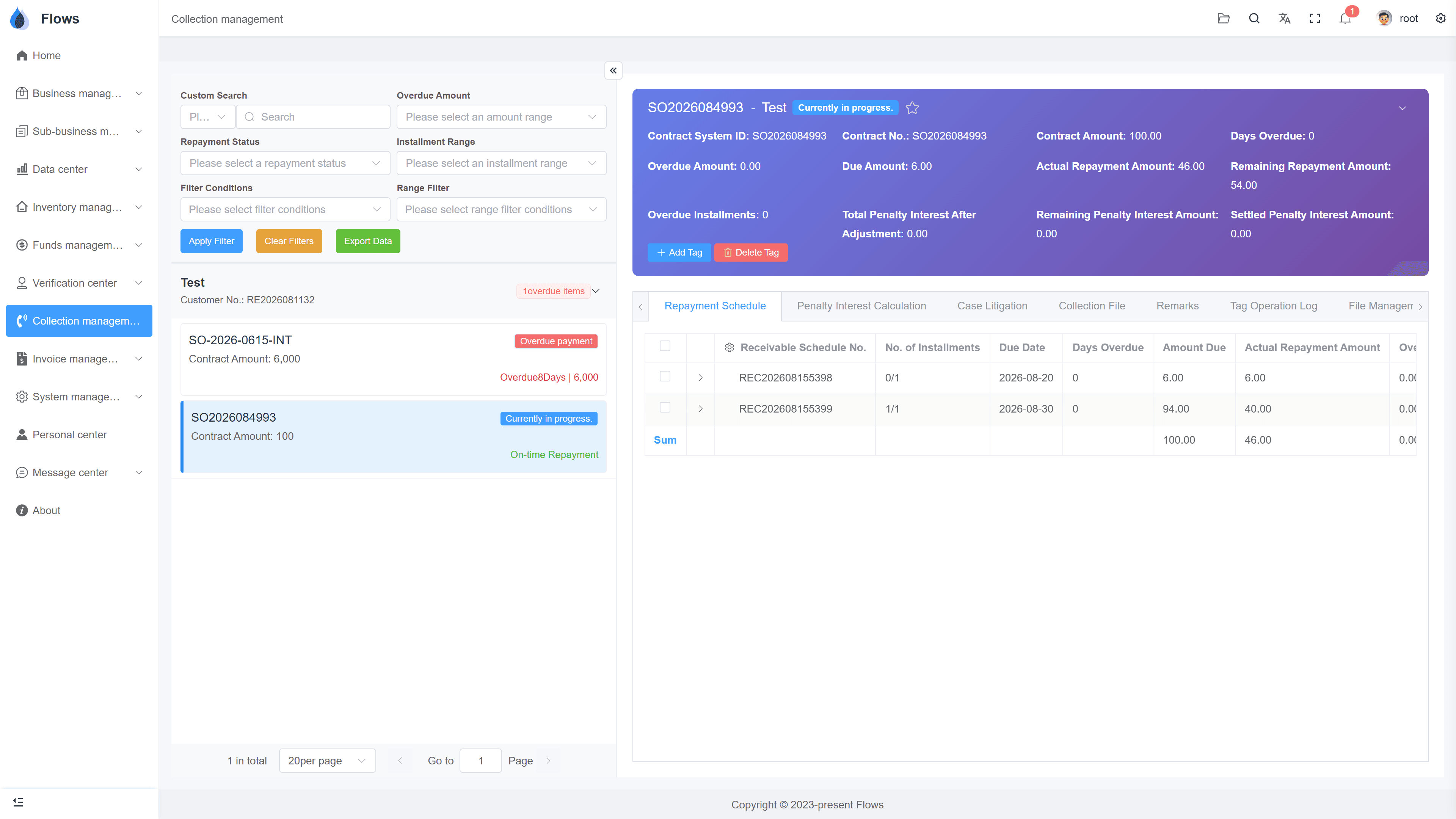
Site visits, calls, demand letters and more — each recorded with its date, result, and files.
One-month free trial before you buy.
01
Every collection event on one timeline
Record everything that happens while collecting a debt on a timeline — site visits, calls, LINE messages, demand letters, and more. You set up the milestone types yourself in settings.
- Visits, calls, LINE, letters
- Milestone types set by you
- Add or rename anytime
- Always in date order
Collection record — TCH Motors
Penalty accrued
฿69,820
Daily at 15% p.a. · 43 days overdue
02
Custom tags for each contract
Give each contract a tag that shows where it stands — for example, 'in court' or 'in enforcement'. You create the tags yourself, so they match your own process.
- Tags you define
- See each contract's stage quickly
- Add or remove tags anytime
- Tag changes are logged
Demand letter — TCH Motors
03
Easy for the next person — or a lawyer — to read
When a colleague takes over a case, they can read the timeline and pick up where the last person left off. Every file is kept with the step it belongs to, so nothing gets lost.
- Easy handovers
- Clear case history for court
- Files kept safely
- Penalty interest shown alongside
Customer — Bangkok Trading
@Somchai customer visit set for Thursday
Visible to the sales team only · full edit history
Inside the module
Real screens from Flows ERP — what your team will actually work in.
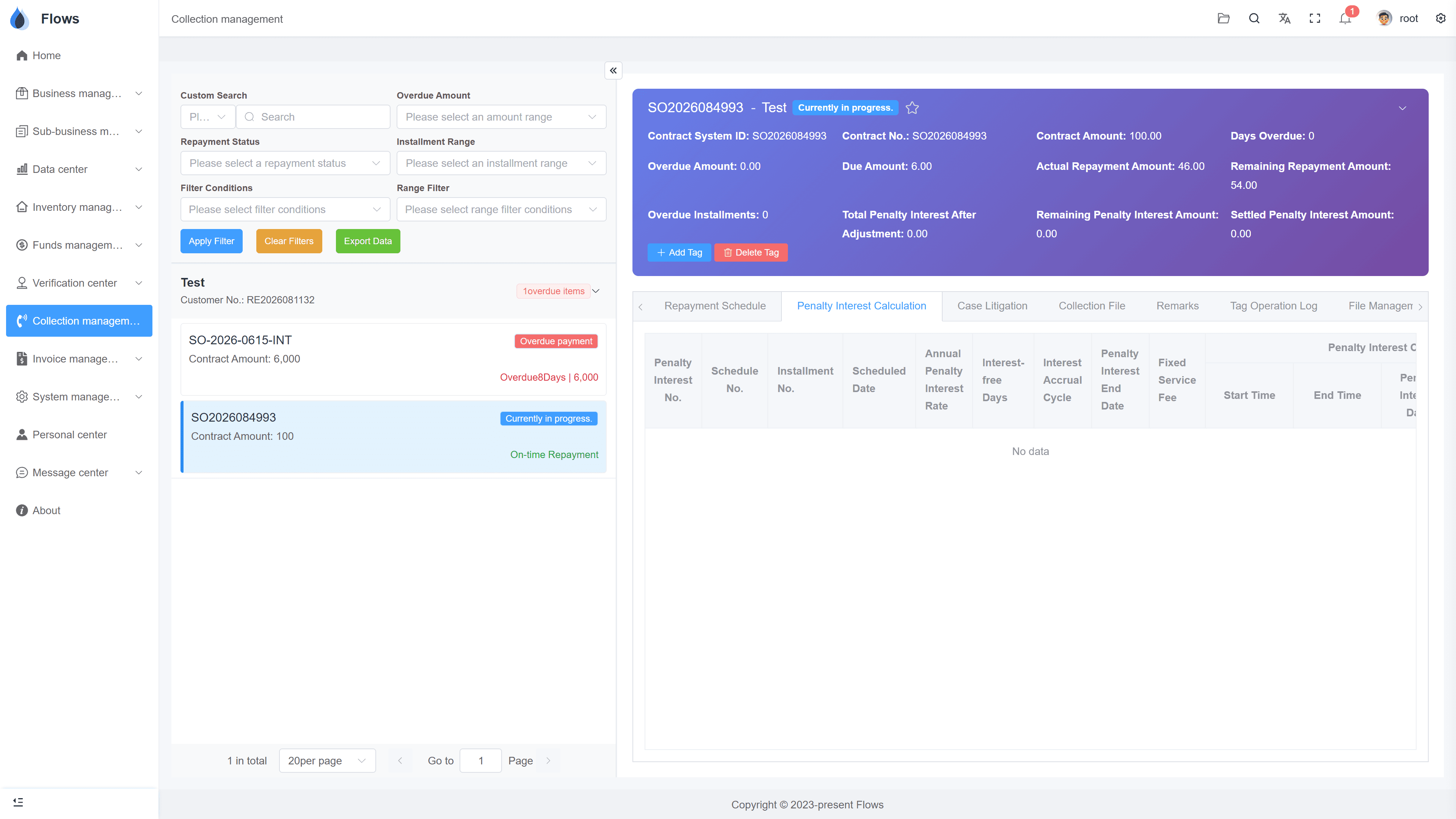
A contract's timeline
Calls, reminders, letters, and results in order, on one screen.
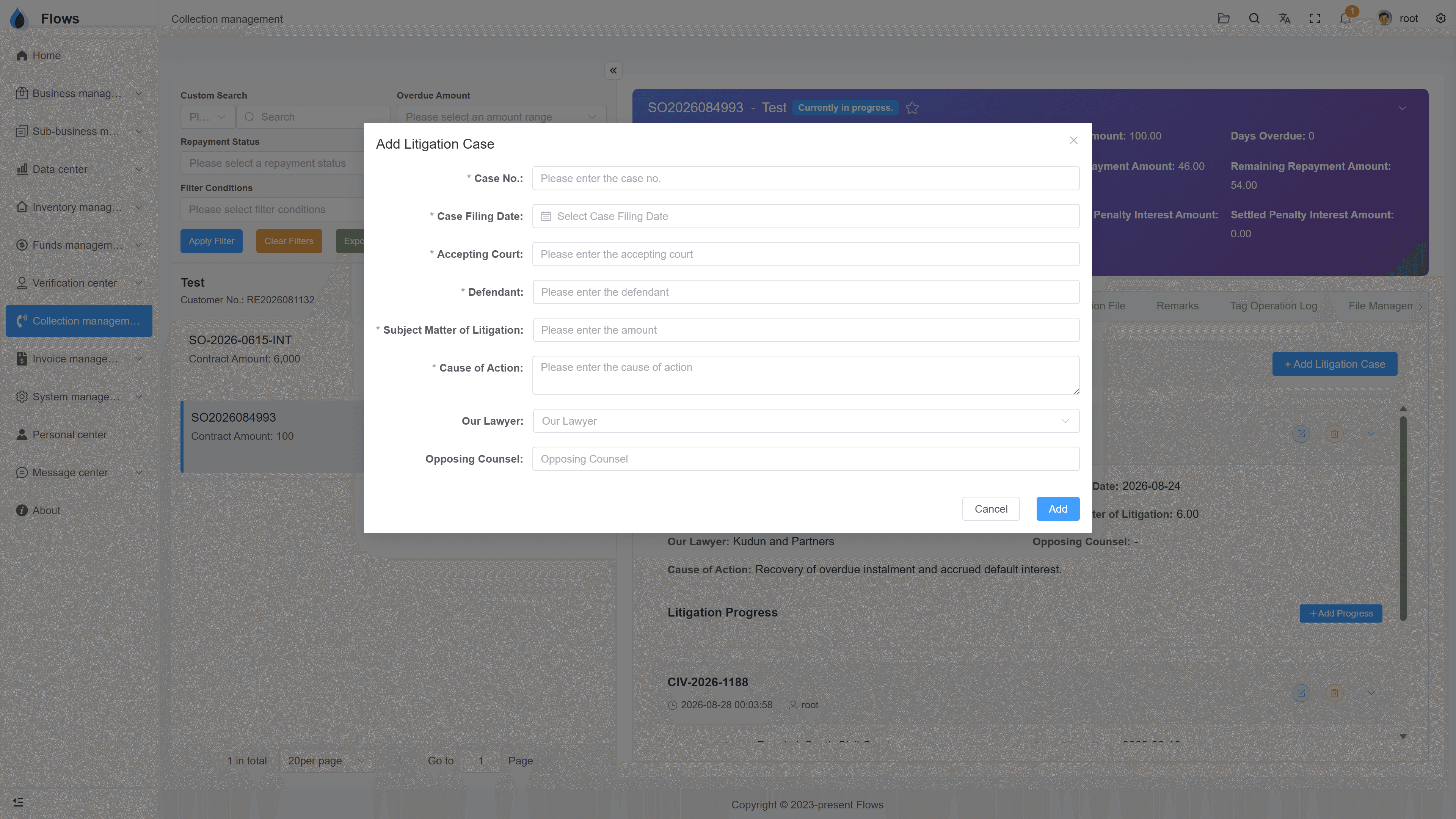
Customizing milestones
The milestone types in settings — named your way.
Why Flows
What makes Flows different
Not another generic ERP — a system built around how Thai SMEs actually buy, sell, and collect.
See how onboarding works →Priced per company, not per seat
One annual price, every module included. Add users freely within your tier — no feature gates, no seat fees.
Three languages with auto-translation
Thai, English & Chinese UI — and the data your team enters is translated automatically, so everyone reads the same records.
Your documents, exactly your format
Send us your invoice and receipt templates; our team configures them into Flows. Every document comes out looking like yours.
We walk you live — and stay
Five-step onboarding at no extra cost, then quarterly system stability reports. We don't disappear after go-live.
Spec sheet
What the collection timeline includes — in every plan.
Milestones
Your own milestone types, set up in settings
Events
Date, result, notes, and files per entry
Custom tags
Tags you define, e.g. 'in court', 'in enforcement'
Timeline
The collection process shown as a timeline
Access
What each person can see is set by permissions
Penalty
Penalty interest shown alongside
Handover
Any colleague can continue from the record
Lawsuits
Lawsuit stages with their documents
Frequently asked questions
What is a collection milestone in Flows ERP?
A milestone is a single step you record while collecting an overdue payment, such as a call, a site visit, a LINE message, a demand letter, or a lawsuit filing. Each milestone is added to the collection timeline with its date, result, and files.
Can we define our own milestone types?
Milestone types are set up in settings, so they can match how your company collects. You can change them whenever your process changes.
Can we mark which stage a contract is in?
You can add your own tags to each contract, such as 'in court' or 'in enforcement'. Since you create the tags yourself, they can match the stages your company uses.
Can several people work on the same timeline?
The timeline belongs to the contract, so anyone with access can read the full history and add new entries. This makes it easy for a colleague to take over a case.
Does the timeline help if the case goes to court?
The timeline works as the case history, with dated contacts, promises, letters, documents, and the amounts owed. Your lawyer can read it directly instead of piecing it together.
Put your hardest debt on a timeline.
Start a free one-month trial, or book a demo and walk one real case through the timeline.