 Flows ERP
Cheques tied tothe installments they pay
Every cheque you receive or issue is recorded and linked to the contract it covers.
One-month free trial before you buy.
01
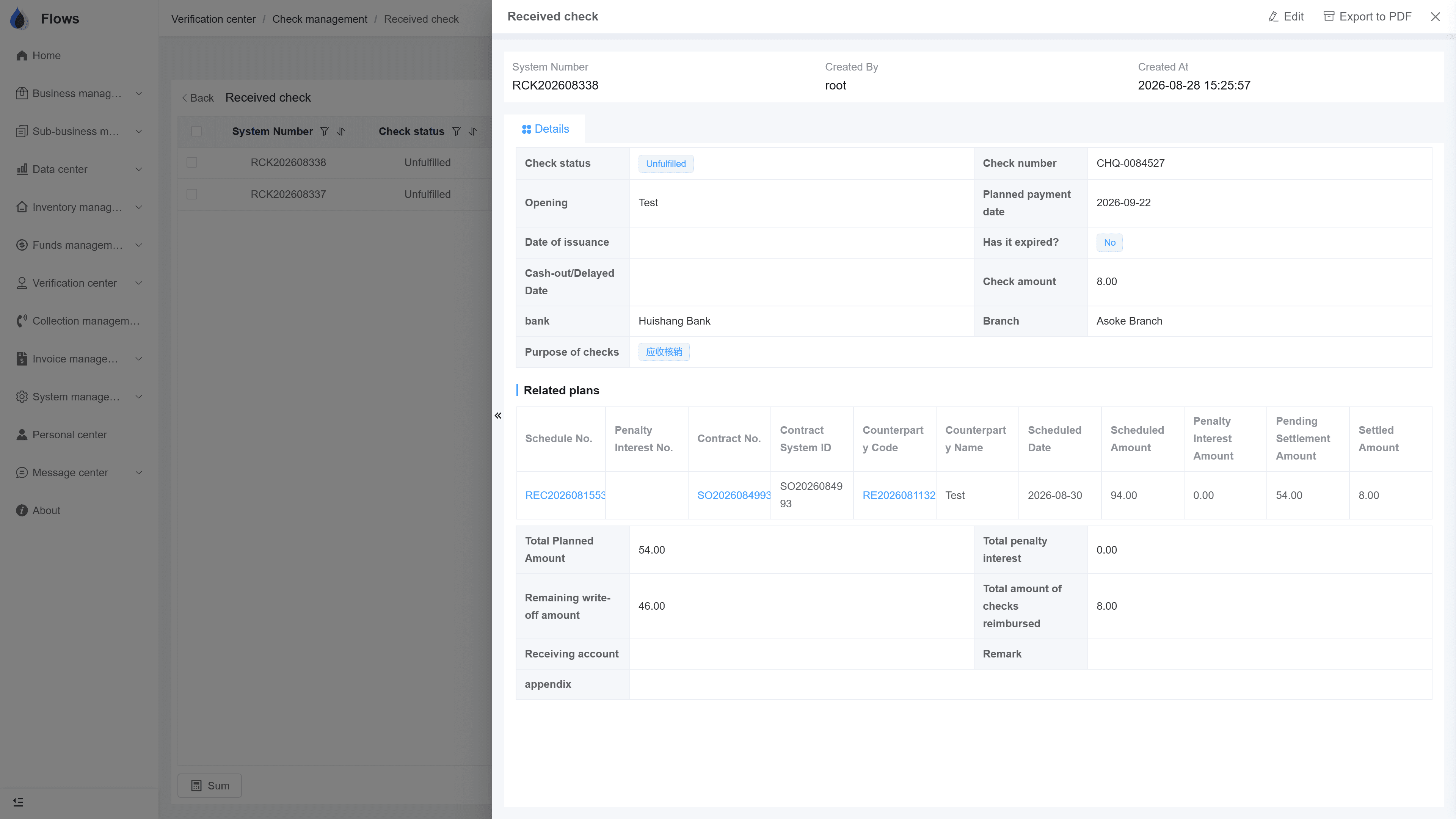
Cheques received and issued, in one place
Cheques received from customers and cheques issued to suppliers are kept together, each with its bank, number, amount, and dates. An overview screen helps you manage the status of every cheque.
- Received & issued in one place
- Bank, number, amount, dates
- Overview of cheque status
- Linked to contracts
AR write-off center
02
Linked to the periods it pays
One cheque often covers several installments. Link it to one or more periods of a sales or purchase contract, so everyone can see what the cheque is for.
- One or more periods per cheque
- Sales and purchase contracts
- Cancel received or issued cheques
- Linked to bank account balances
Contract SC-2026-041 · Bangkok Trading
@Somchai please follow up period 3
Logged on the contract · visible to the team
03
Cancel a cheque when needed
Cancel any received or issued cheque when you need to, and record penalty interest paid by cheque the same way as other payments.
- Cancel received cheques
- Cancel issued cheques
- Penalty payable by cheque
- Every change logged
Penalty interest — live balances
Accrues daily by each contract's own rules
Per-period history · payable by cheque too
Inside the module
Real screens from Flows ERP — what your team will actually work in.
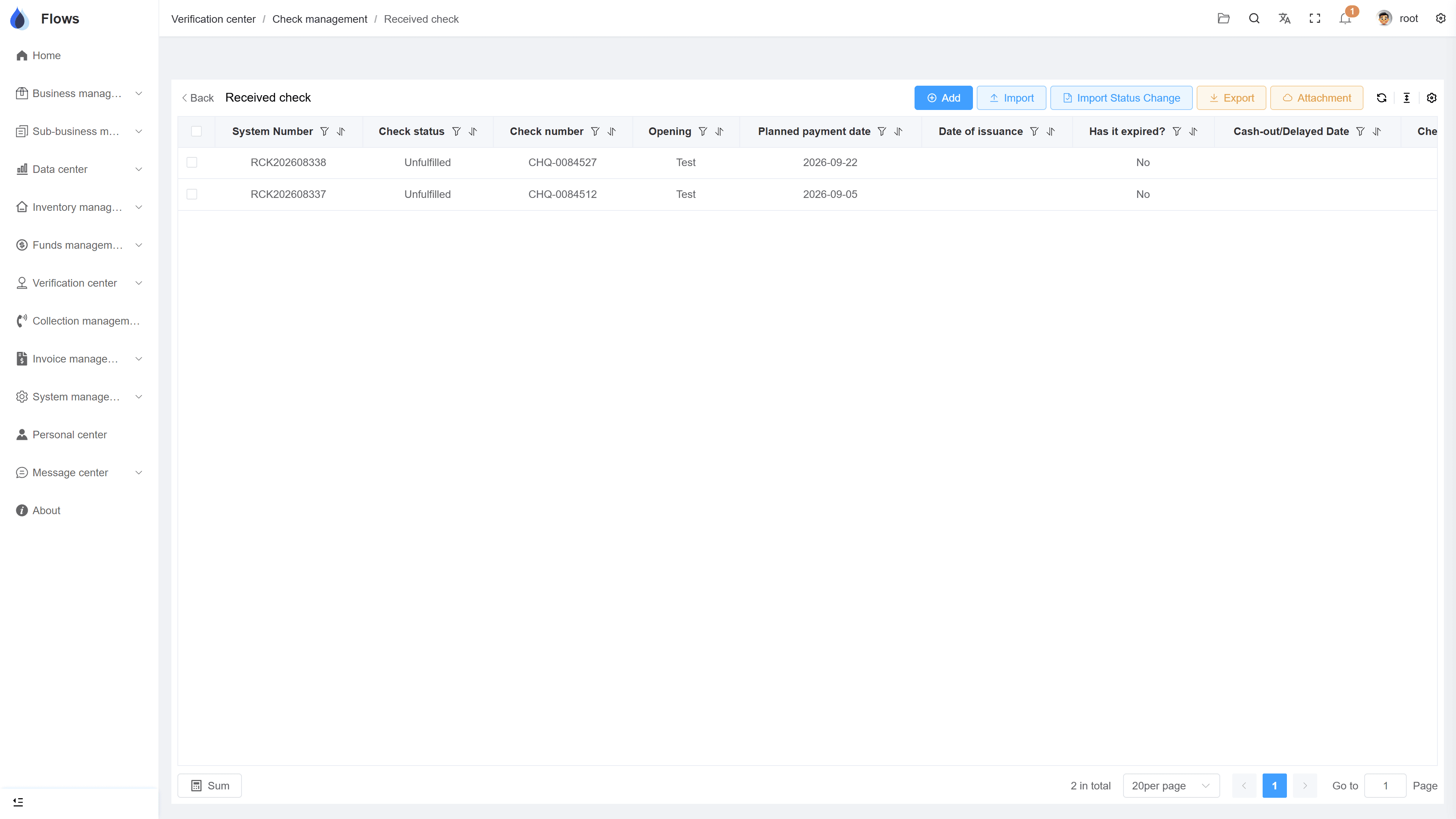
Cheque list
All cheques with bank, amount, and status — filter by received or issued, and by date.
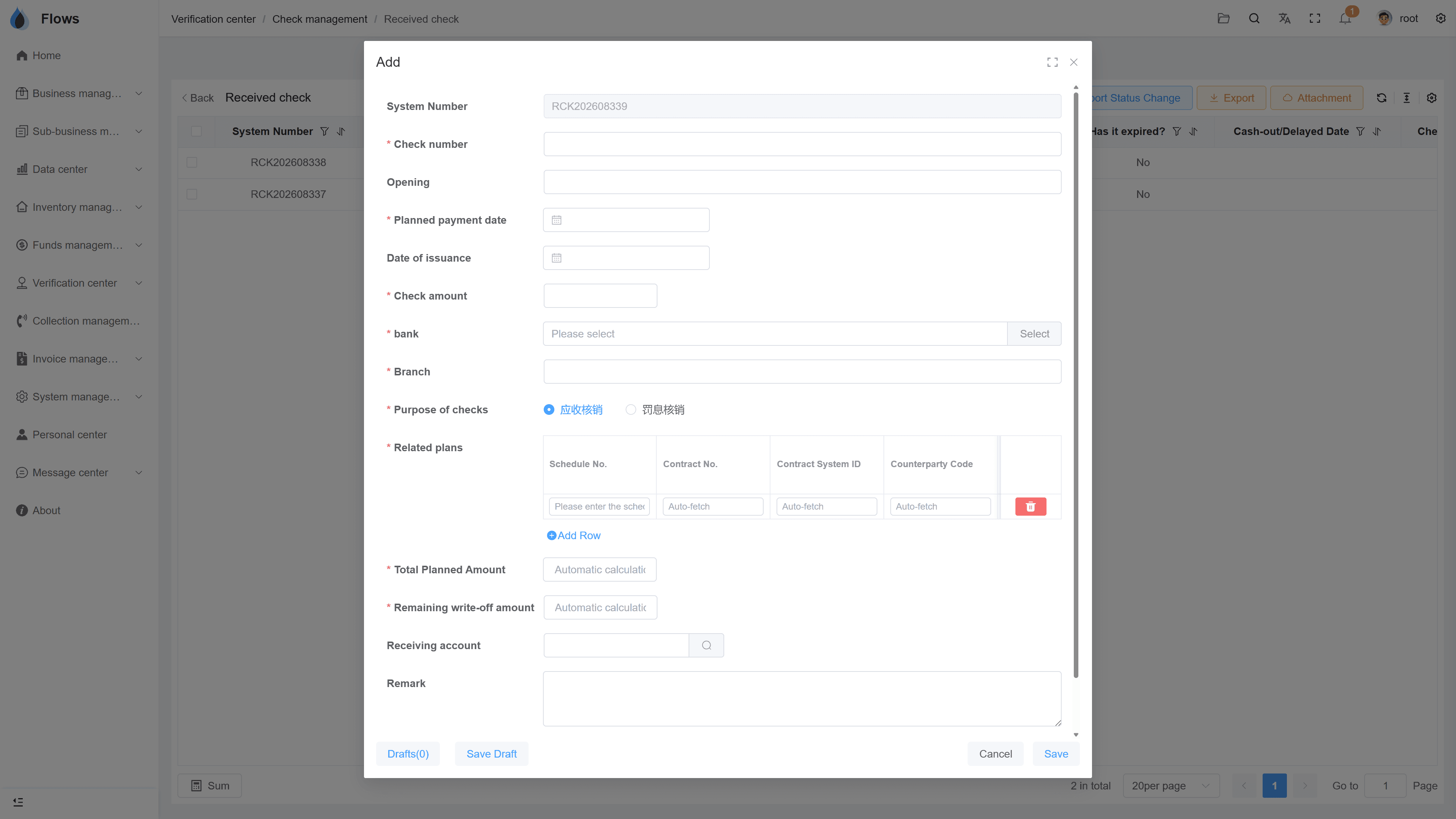
Linking a cheque to periods
Pick the contract and tick the periods this cheque covers.
Why Flows
What makes Flows different
Not another generic ERP — a system built around how Thai SMEs actually buy, sell, and collect.
See how onboarding works →Priced per company, not per seat
One annual price, every module included. Add users freely within your tier — no feature gates, no seat fees.
Three languages with auto-translation
Thai, English & Chinese UI — and the data your team enters is translated automatically, so everyone reads the same records.
Your documents, exactly your format
Send us your invoice and receipt templates; our team configures them into Flows. Every document comes out looking like yours.
We walk you live — and stay
Five-step onboarding at no extra cost, then quarterly system stability reports. We don't disappear after go-live.
Spec sheet
What the cheque module includes — in every plan.
Directions
Received from customers · issued to suppliers
Details
Bank, cheque number, amount, cheque & due dates
Linking
One or more periods of a sales or purchase contract
Cancel
Cancel a received or issued cheque
Bank balance
Linked to your bank account balances
Issuing banks
Set up your own list of issuing banks
Penalty
Penalty interest payable by cheque
Logs & export
Every change logged; cheque list exportable to Excel
Frequently asked questions
How does cheque management work in Flows ERP?
Enter each cheque you receive or issue with its bank, number, amount, and dates, then link it to the installments it covers. You can also keep your own list of issuing banks.
Can one cheque pay several installments?
One cheque can cover several installments. Simply link it to all the periods of the contract that it pays.
What happens if a cheque bounces?
You can mark the cheque as bounced in cheque management. If a customer's bounced cheque leaves a payment overdue, the contract moves to the collections module for follow-up.
Can we manage the cheques we give to suppliers?
Cheques you issue to suppliers are handled the same way. Each one is linked to the purchase-contract periods it pays.
Can a customer pay penalty interest by cheque?
A customer can pay penalty interest by cheque. The cheque can be linked to the penalty amount as well as to regular installments.
Manage your cheques in Flows.
Start a free one-month trial, or book a demo and bring this week's cheques — we'll enter them together.