 Flows ERP
API & permissionsconnected and secure
Connect Flows to your website and other systems, and give each person only the access their job needs.
One-month free trial before you buy.
01
Connect the systems you already use
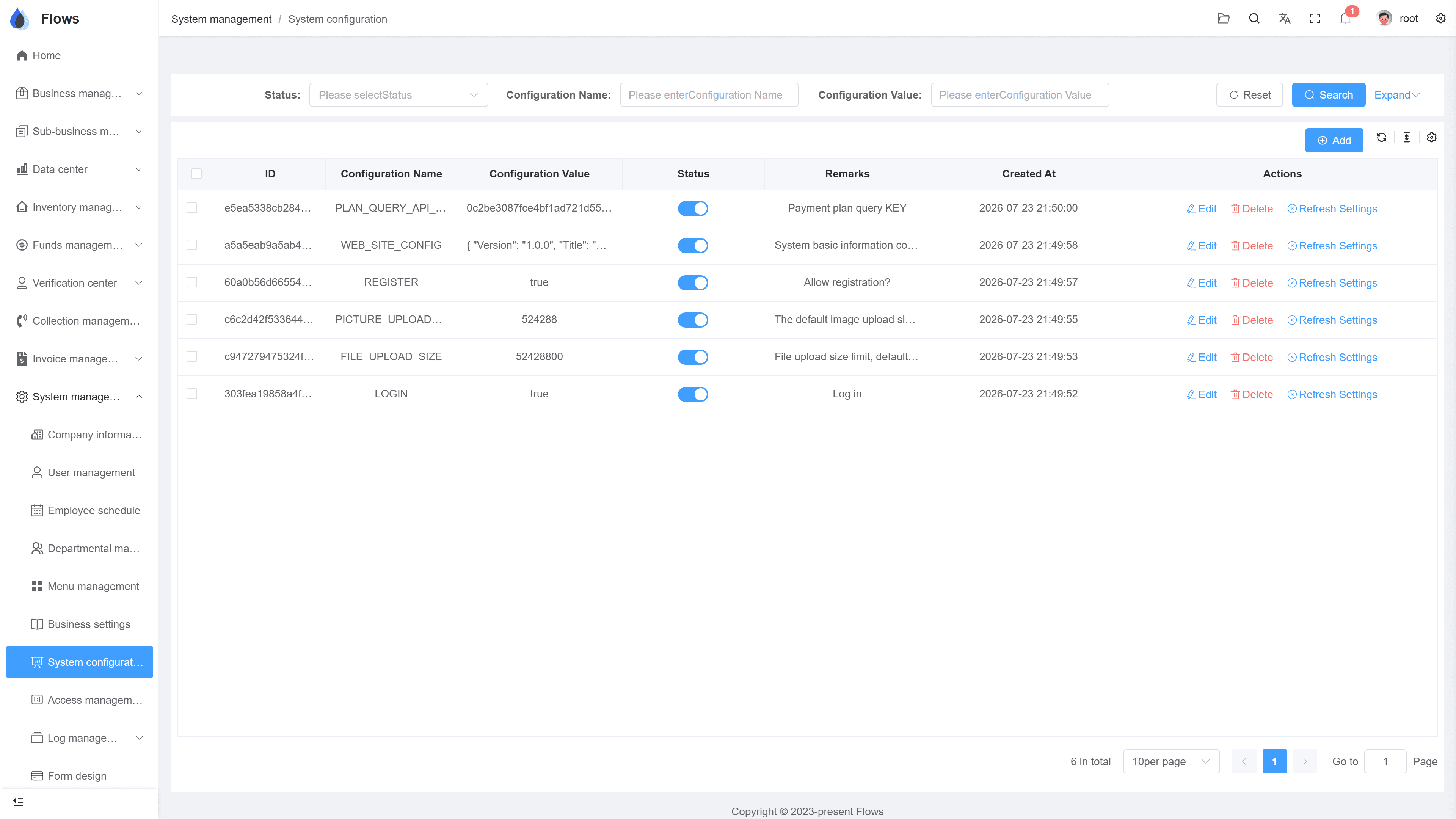
The API lets other systems, such as your website or another internal tool, send data to Flows, so nobody has to type it in twice. We plan each connection with you so it fits how you work. If development is needed, it's quoted per project.
- Website & other systems
- No typing data in twice
- Planned with the Yangshu team
- Development quoted per project
Platform — system settings
API · data received from an external system
Button-level permissions · every change logged
02
Staff accounts and departments
Add staff accounts, organize them by department, and turn off a former employee's account in one click, so their access ends right away.
- Staff accounts in one place
- Your department structure
- Former employees' accounts turned off in one click
- Access ends right away
Contract SC-2026-041 · Bangkok Trading
@Somchai please follow up period 3
Logged on the contract · visible to the team
03
Permissions down to each button
For each role and screen, decide who can view, create, edit, export, or delete, so everyone sees and does only what their job needs.
- Set by role
- Set per screen
- View, create, edit, export, delete
- Access matches each job
Customer — Bangkok Trading
@Somchai customer visit set for Thursday
Visible to the sales team only · full edit history
Inside the module
Real screens from Flows ERP — what your team will actually work in.
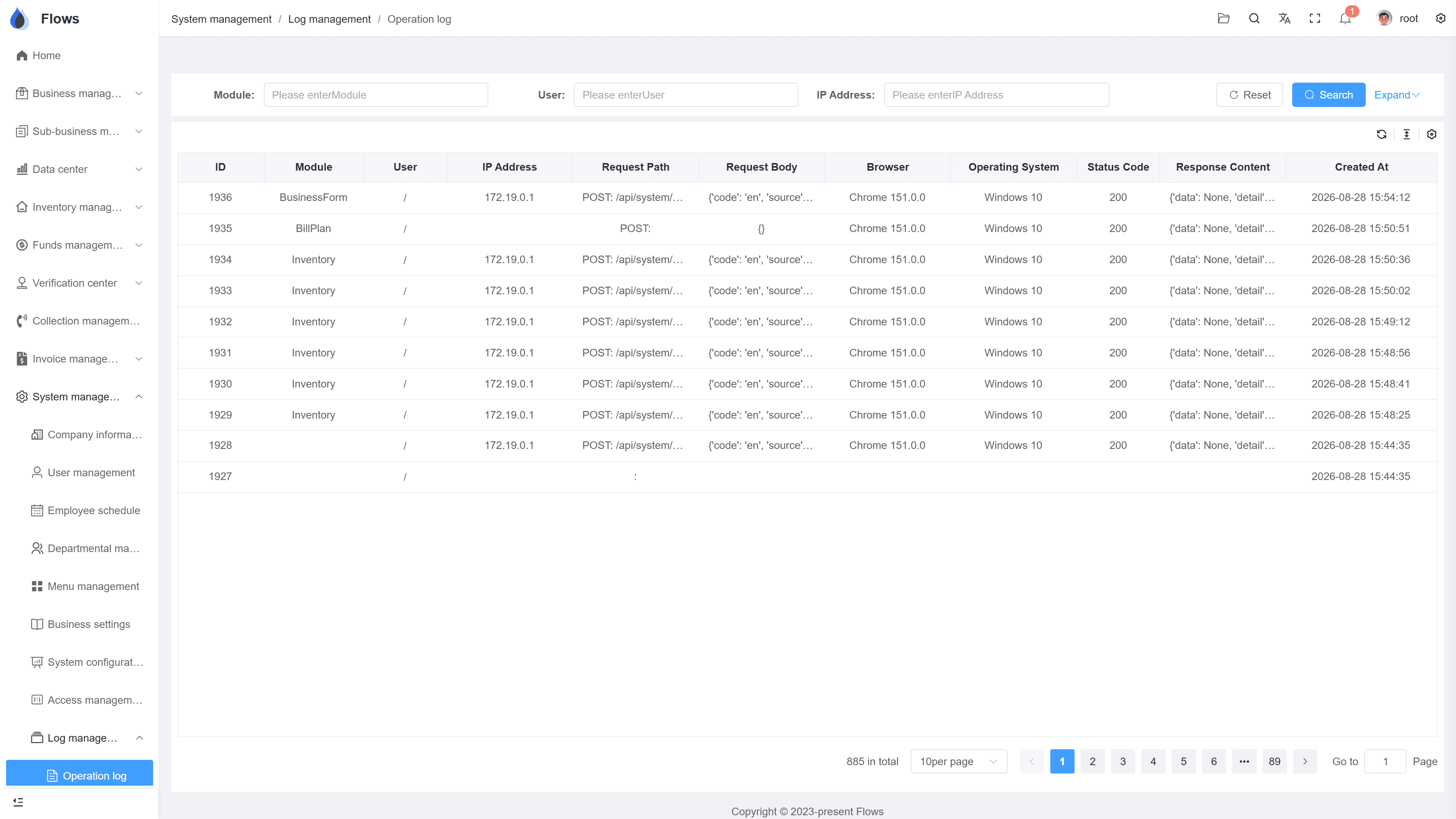
The operation log
Actions listed with user, record, and time — and you can filter them.
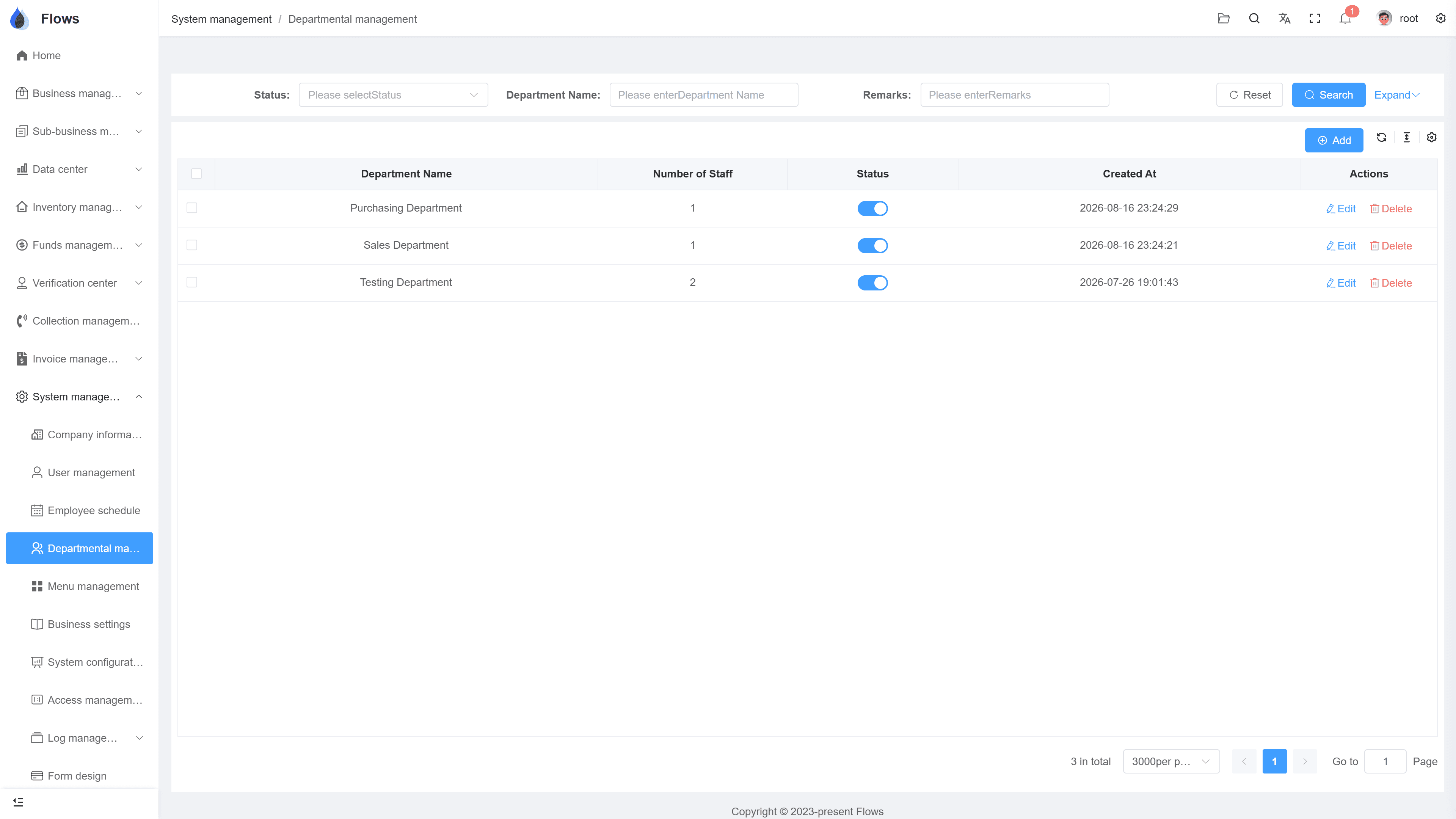
Departments & permissions
The department structure with role permissions — who can see, create, edit, and export, on each screen.
Why Flows
What makes Flows different
Not another generic ERP — a system built around how Thai SMEs actually buy, sell, and collect.
See how onboarding works →Priced per company, not per seat
One annual price, every module included. Add users freely within your tier — no feature gates, no seat fees.
Three languages with auto-translation
Thai, English & Chinese UI — and the data your team enters is translated automatically, so everyone reads the same records.
Your documents, exactly your format
Send us your invoice and receipt templates; our team configures them into Flows. Every document comes out looking like yours.
We walk you live — and stay
Five-step onboarding at no extra cost, then quarterly system stability reports. We don't disappear after go-live.
Spec sheet
What's included — in every plan.
API
Connect your website and external systems to Flows
Integration
Scoped together; development quoted per project
Accounts
Staff accounts managed centrally; former employees' accounts turned off instantly
Departments
Company structure maintained in settings
Permissions
Button-level control per role and screen
Hosting
Runs on Yangshu's servers — no server for you to maintain
Frequently asked questions
What can the Flows API be used for?
The API connects Flows with your other systems, most often your website sending orders or data into Flows, so nothing has to be typed twice. Tell us which systems you use, and we'll plan the connection with you.
Is there public API documentation?
We don't publish API documents. Instead, each connection is set up together with the Yangshu team, so it's planned, secure, and supported. Bring your use case to a demo and we'll talk it through.
What happens to a staff member's access when they leave?
When you turn off their account, their access ends immediately. Their customers, contracts, and records stay in Flows, so nothing is lost when someone leaves.
How detailed are the permissions?
Permissions go down to individual buttons. For each role and screen, you decide who can view, create, edit, export, or delete.
Connect Flows to your other systems.
Start a free one-month trial, or book a demo and tell us which systems you'd like Flows to connect with.