Features · Platform
An API to connect out, logs to account for everything within
A serious system needs two kinds of openness: doors for other software, and a record of everyone who walked through yours. Flows provides an API for connecting your website and external systems — and operation logs that turn 'someone changed this' into a name and a time.
01
Connect the systems you already run
Orders from your website, data from another internal tool — the API lets external systems talk to Flows instead of someone re-typing between windows. Each integration is scoped with our team so it fits your real flow, and quoted per project when development is involved.
- Website & external systems
- No re-typing between tools
- Scoped with the Yangshu team
- Integration work quoted per project
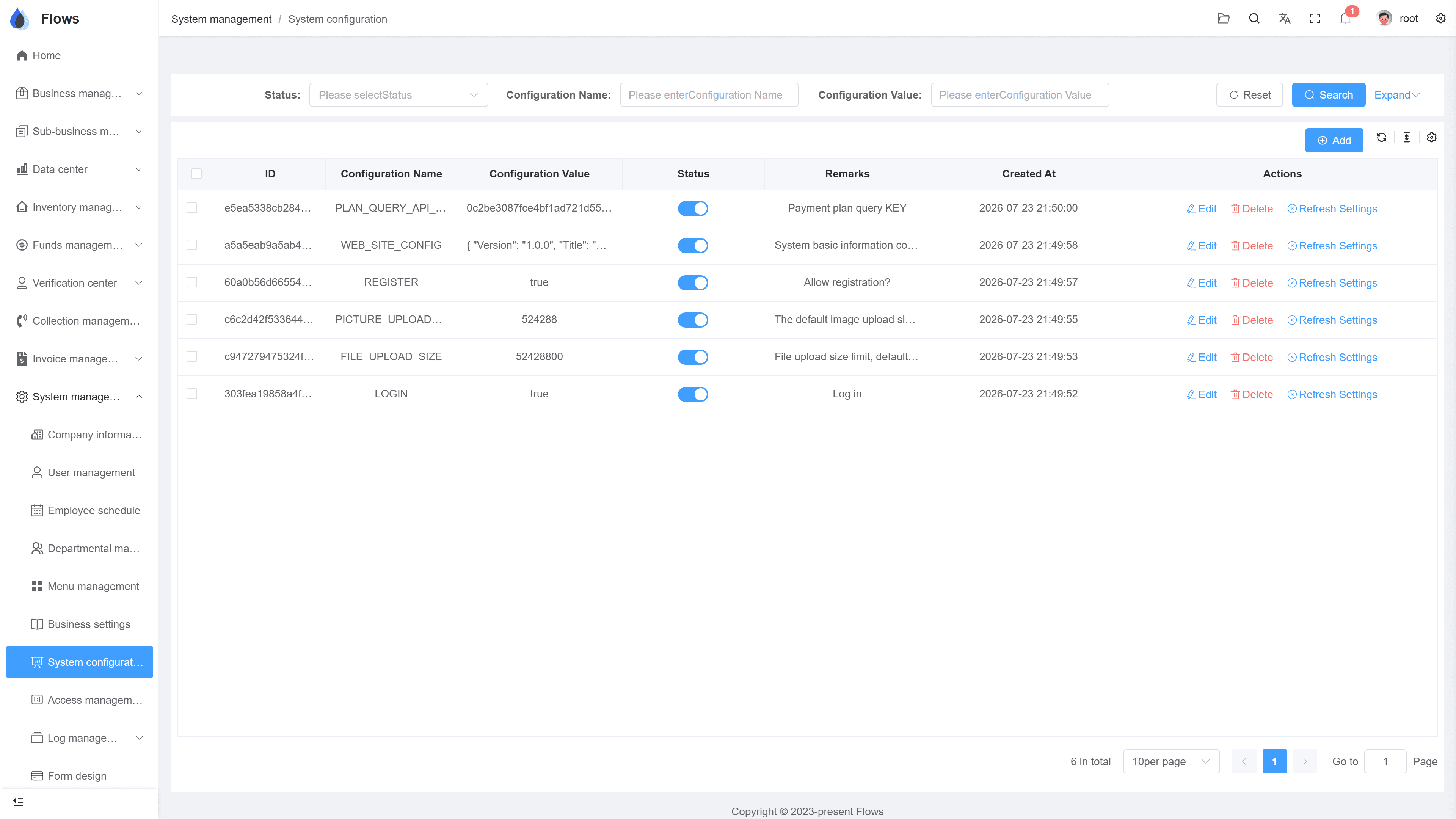
Platform — system settings
API · data received from an external system
Button-level permissions on every action · fully logged
02
Every action, on the record
The operation log records logins and actions across the system — who created the contract, who changed the credit term, who exported the customer list, and when. Disputes about 'who did this' end at the log instead of in a meeting.
- Logins and actions recorded
- User and timestamp on each
- Covers edits and exports
- History stays with the record
Contract SC-2026-041 · Bangkok Trading
@Somchai please follow up period 3
Logged on the contract · visible to the team
03
Accounts, departments, and permissions underneath
Logs are half of accountability; access control is the other half. Manage staff accounts and your department structure, disable a leaver's account in one click, and use button-level permissions so each role sees and does exactly what its job requires.
- Staff accounts & departments
- Leavers disabled immediately
- Button-level permissions
- Access matches the job
Customer — Bangkok Trading
@Somchai customer visit set for Thursday
Visible to the sales team only · full edit history
Inside the module
Real screens from Flows ERP — what your team will actually work in.
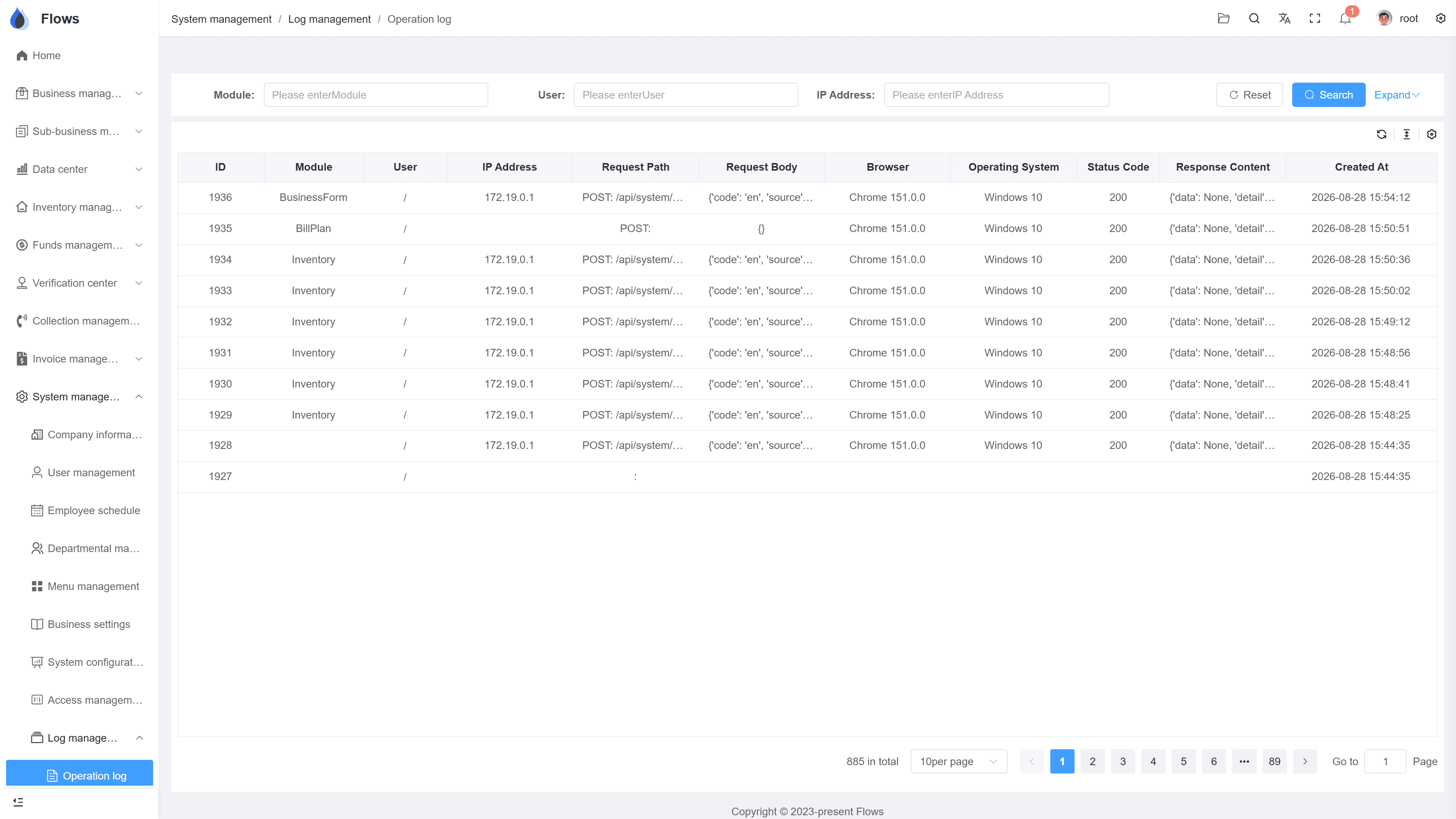
The operation log
Actions listed with user, target, and time — filterable when something needs tracing.
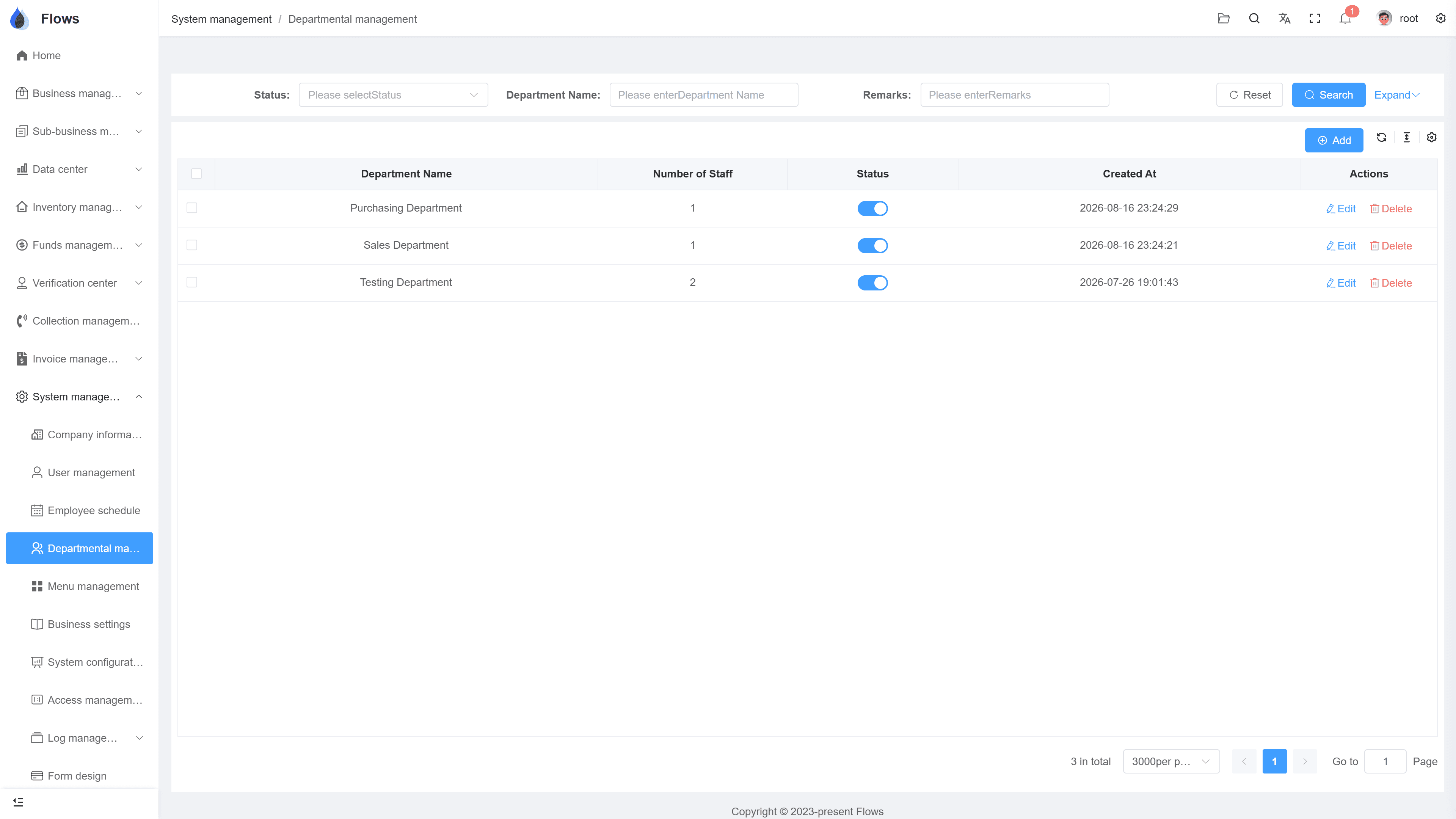
Departments & permissions
The department tree with role permissions — who can see, create, edit, and export, per screen.
Why Flows
What makes Flows different
Not another generic ERP — a system built around how Thai SMEs actually buy, sell, and collect.
See how onboarding works →Priced per company, not per seat
One annual price, every module included. Add users freely within your tier — no feature gates, no seat fees.
Three languages with auto-translation
Thai, English & Chinese UI — and the data your team enters is translated automatically, so everyone reads the same records.
Your documents, exactly your format
Send us your invoice and receipt templates; our team configures them into Flows. Every document comes out looking like yours.
We walk you live — and stay
Five-step onboarding at no extra cost, then quarterly system stability reports. We don't disappear after go-live.
Spec sheet
What the API & accountability layer ships with — included in every plan.
API
Connect your website and external systems to Flows
Integration
Scoped together; development quoted per project
Logs
Logins and actions, with user and timestamp
Coverage
Creates, edits, exports across modules
Accounts
Staff accounts managed centrally; leavers disabled instantly
Departments
Company structure maintained in settings
Permissions
Button-level control per role and screen
Hosting
Runs on Yangshu's servers — no server for you to maintain
Frequently asked questions
What can the Flows API be used for?
Connecting external systems — most commonly your website sending orders or data into Flows, or another internal tool exchanging records — so information moves without re-typing. Tell us the systems involved and we scope the integration together.
Is there public API documentation to browse?
Integrations are set up with the Yangshu team rather than self-served from public docs — that keeps each connection scoped, secured, and supported. Bring your use case to a demo and we'll walk the path.
What do the operation logs record?
Logins and actions across the system: who created, edited, or exported what, and when. Each record's own edit history complements the global log, so you can trace a change from either direction.
Can we see who exported sensitive data?
Yes — exports are actions like any other, logged with user and time. Combined with button-level permissions on export rights, you control both who can and who did.
What happens to a staff member's access when they leave?
Disable their account and access ends immediately; everything they did remains in the logs and record histories, so continuity survives the departure.
How fine-grained are permissions?
Button-level: per role and per screen you decide who can view, create, edit, export, or delete. Access mirrors the job, and the log verifies the rest.
Connect it, and account for it.
Start a free one-month trial, or book a demo and tell us what you'd like Flows to talk to.