 Flows ERP
Payment plansbuilt from your terms
Enter the terms once — Flows builds the plan for money coming in and money going out.
One-month free trial before you buy.
01
From terms to schedule in one click
Amount, number of periods, credit term or start date, down payment if any — enter the terms and click generate. Every period appears with its own amount and due date. You can adjust them before saving, and every later change is recorded.
- Generated from the terms
- Down payments supported
- Adjustable before saving
- Every change recorded
Sales contracts
Payment plan generated — 12 periods
Period 1 · Sep 30฿104,166
Period 2 · Oct 31฿104,166
02
Four interest methods, including none
Equal principal, equal installment on the reducing balance, flat rate, or interest-free credit terms — chosen per contract, whether you sell machinery, cars, goods, or services. The system does the calculations.
- Equal principal
- Reducing balance
- Flat rate
- Interest-free credit terms
Contracts — money in & money out
Sales · money in
78% collected
Purchases · money out
55% paid on plan
Net cash this month
+฿204,100
03
Due-date reminders — and you choose which period to settle
Each period reminds you when it's due. When a payment comes in or goes out, you choose which period it settles — the oldest one or a newer one.
- Due-date reminders
- Choose the period to settle
- Settle in full or partially
- Works for receivables and payables
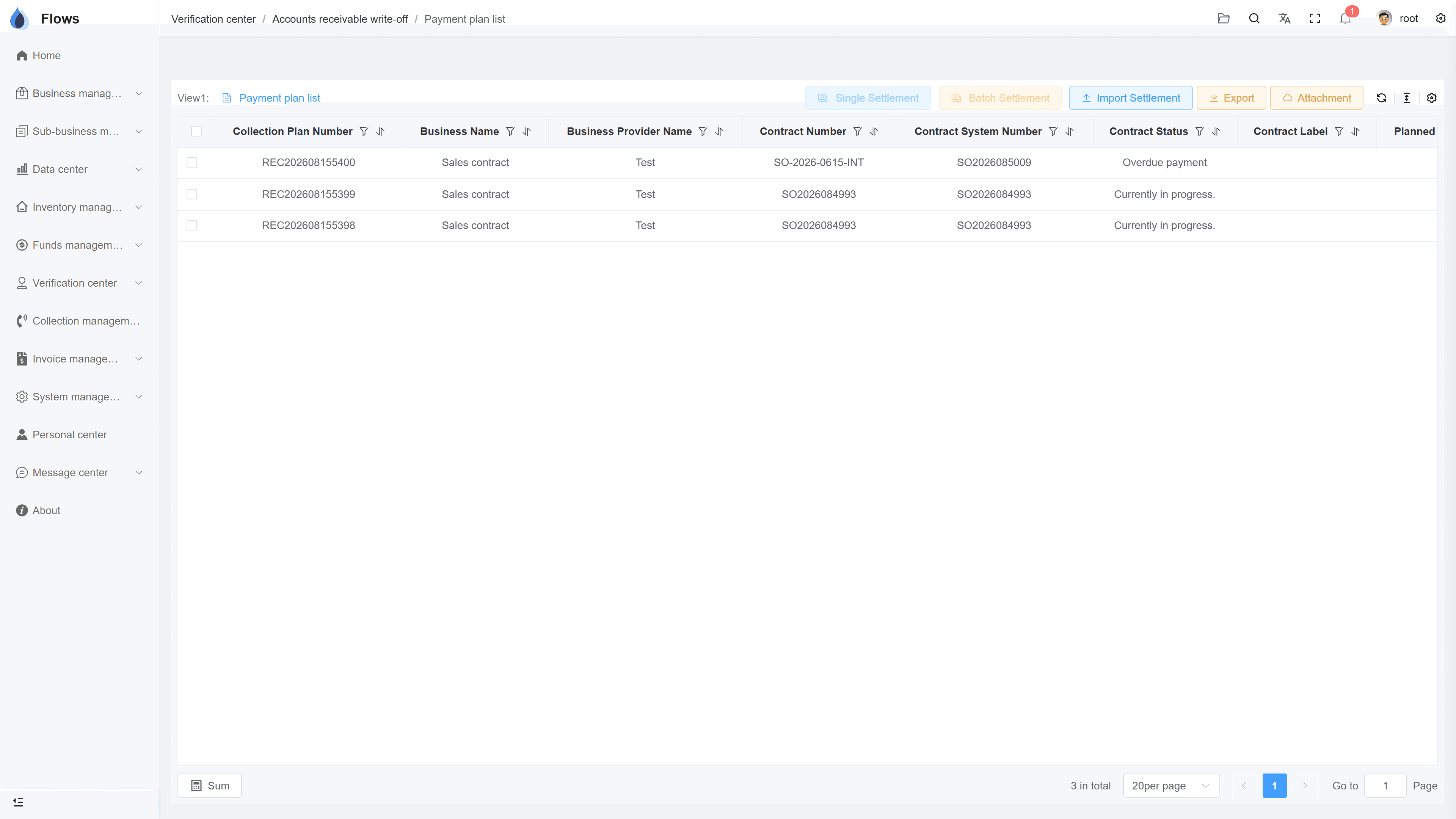
AR write-off center
Inside the module
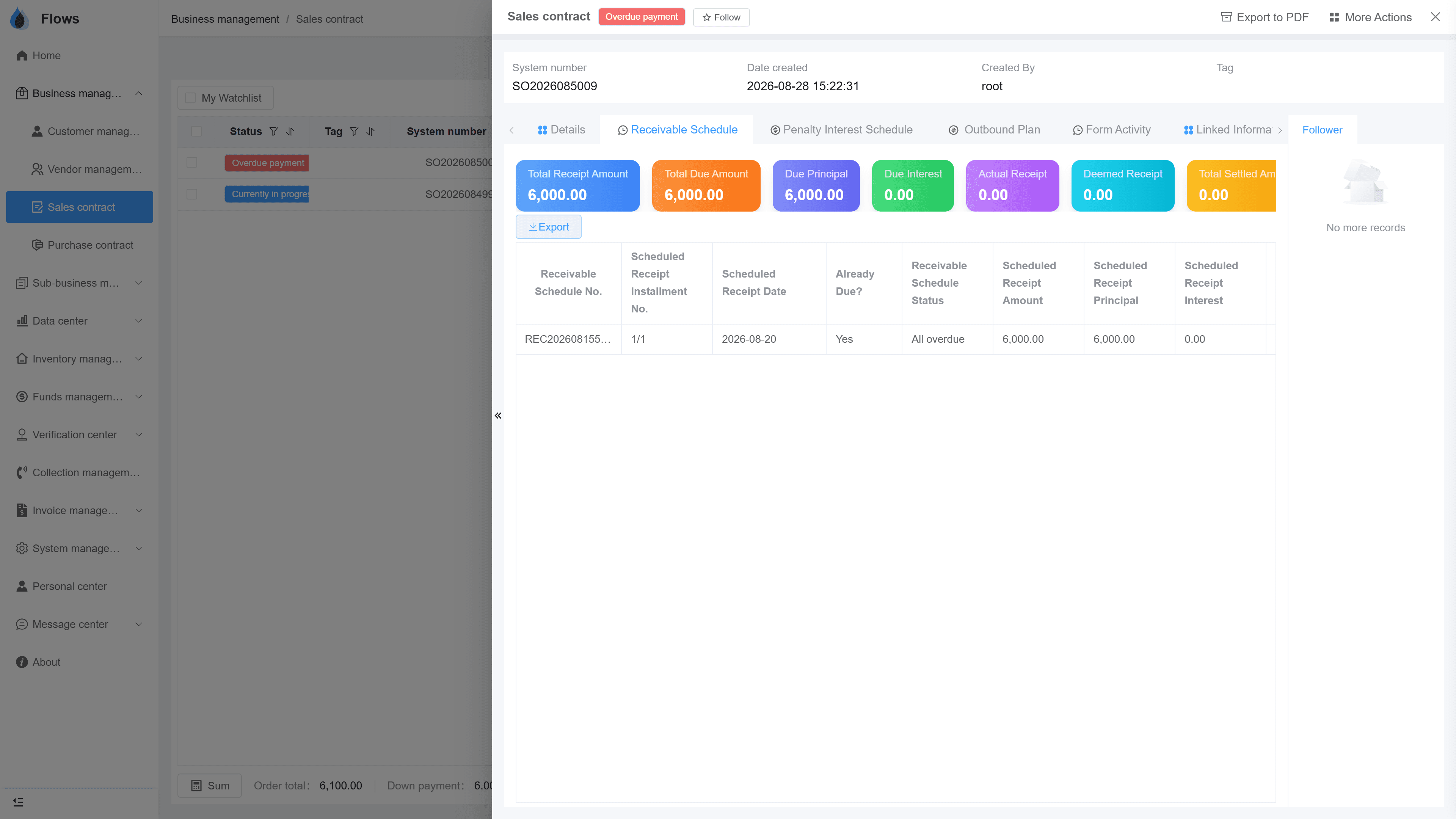
Real screens from Flows ERP — what your team will actually work in.
Generating a schedule
Terms on the left, the generated periods on the right — amounts and due dates ready to adjust and save.
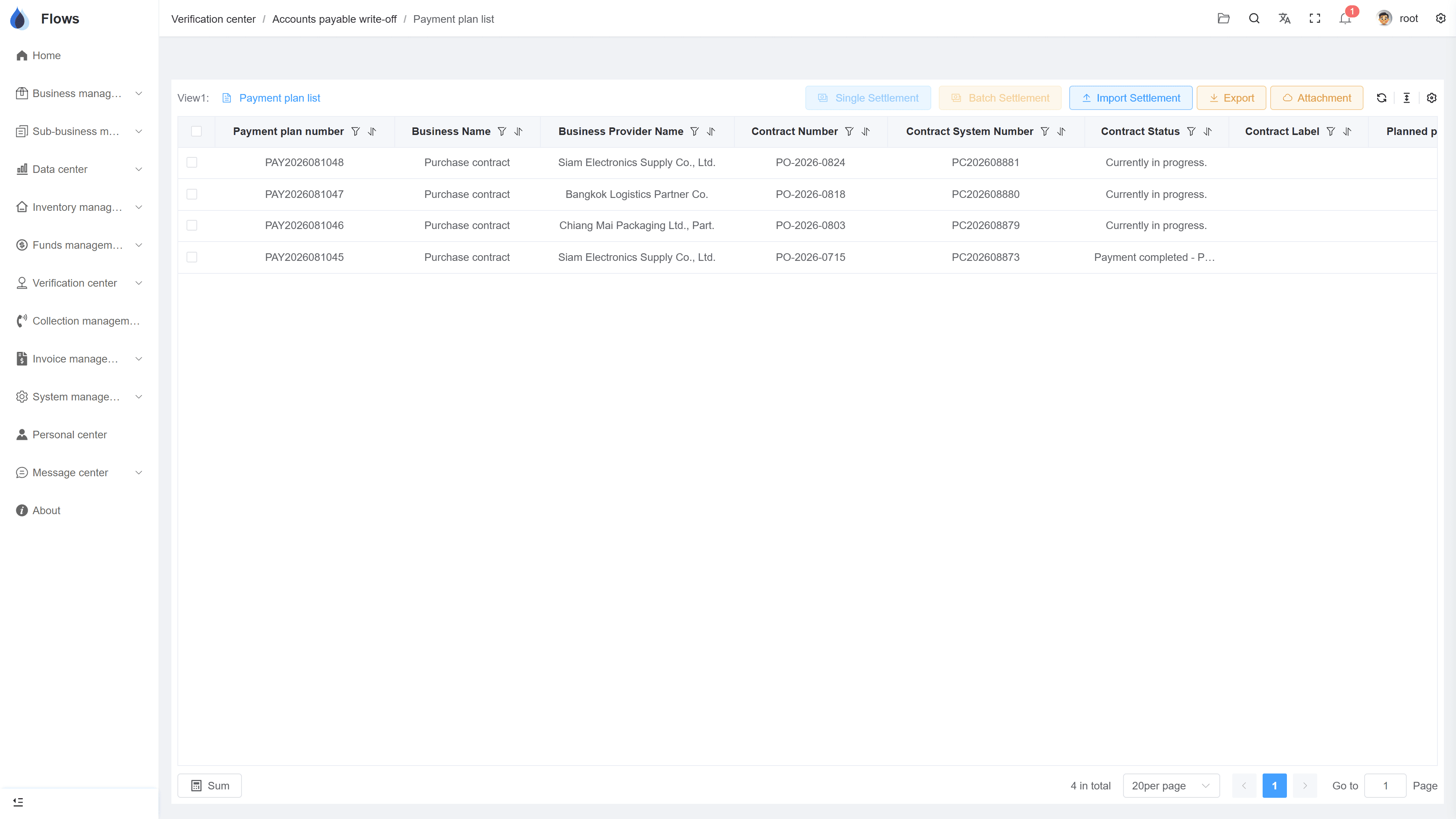
A plan in progress
Some periods paid, one partly paid, the next one due soon — see where each deal stands.
Why Flows
What makes Flows different
Not another generic ERP — a system built around how Thai SMEs actually buy, sell, and collect.
See how onboarding works →Priced per company, not per seat
One annual price, every module included. Add users freely within your tier — no feature gates, no seat fees.
Three languages with auto-translation
Thai, English & Chinese UI — and the data your team enters is translated automatically, so everyone reads the same records.
Your documents, exactly your format
Send us your invoice and receipt templates; our team configures them into Flows. Every document comes out looking like yours.
We walk you live — and stay
Five-step onboarding at no extra cost, then quarterly system stability reports. We don't disappear after go-live.
Spec sheet
What payment plans include — in every plan.
Directions
Receivable plans (sales) · payment plans (purchases)
Interest
Equal principal · reducing balance · flat · none
Terms
Credit terms, down payments, custom period counts
Generation
One click from the contract's terms
Adjustment
Editable before and after saving, with every change recorded
Reminders
Every period has its own due-date reminder
Settlement
You choose which period each payment settles
Overdue
Overdue customer payments move to collections, with penalty interest if used
Frequently asked questions
How do I create a payment schedule in Flows ERP?
On the contract, enter the amount, the number of periods, the credit term or start date, the interest method, and any down payment, then click generate. The full schedule appears with amounts and due dates, and you can adjust it before saving.
Which interest methods are supported?
Flows supports four methods: equal principal, equal installments on a reducing balance, a flat rate on the original amount, and interest-free credit terms. You choose the method on each contract.
Can a plan include a down payment?
You can add a down payment when you enter the terms. The remaining periods are then calculated on the balance that's left.
Can we edit a plan after it's saved?
Plans can be edited after saving, for example after you renegotiate with a customer. Every change is recorded, so you can still see how the plan looked before.
Do purchase contracts work the same way?
Payment plans on purchase contracts work just like those on sales contracts, with the same methods and reminders. The only difference is that the money goes out instead of coming in.
What happens when a period isn't paid?
For customer payments, the overdue period moves into the collections module for follow-up, with penalty interest if you use it. For supplier payments, the period keeps reminding you until it's paid.
Stop building schedules by hand.
Start a free one-month trial, or book a demo and bring a real deal's terms — we'll generate its plan live.